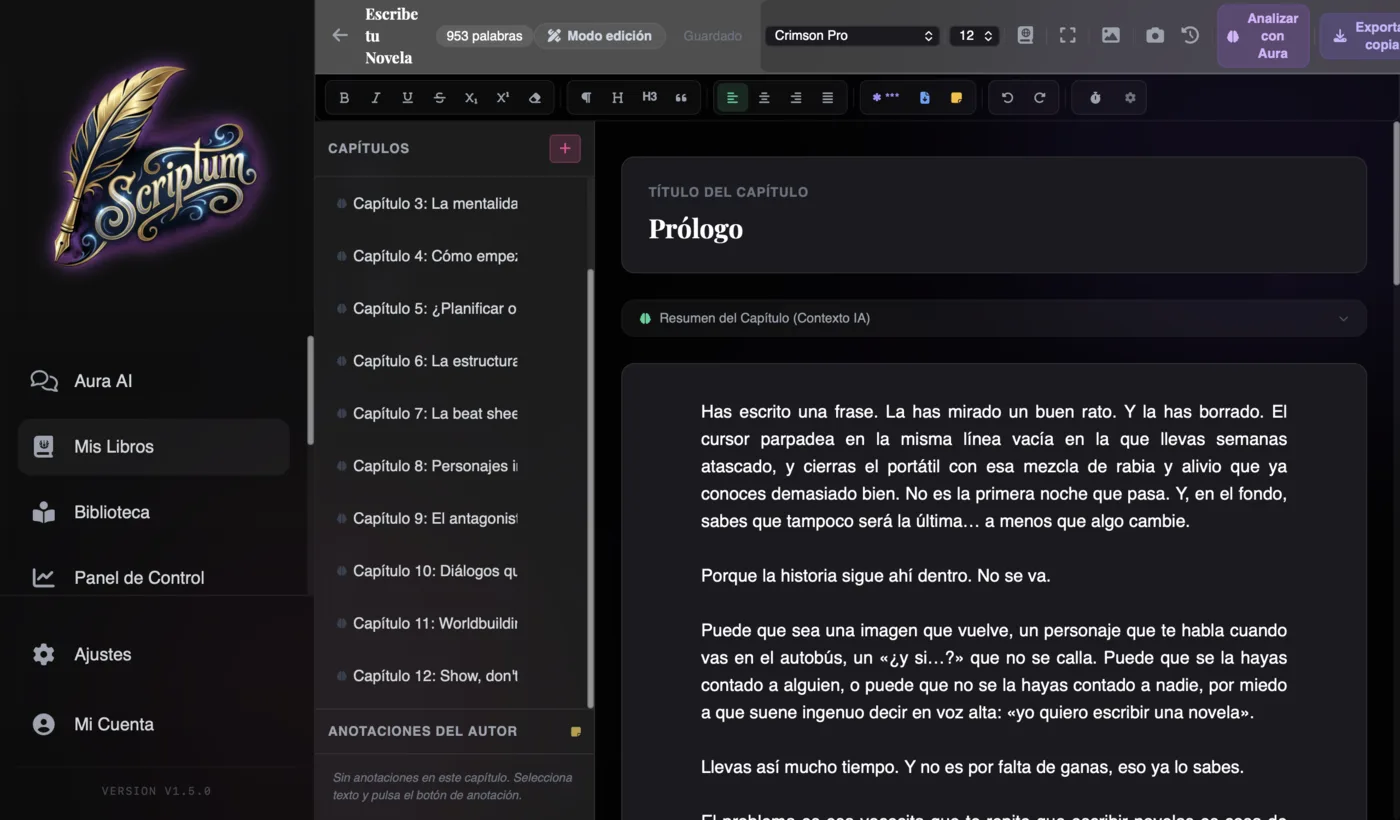
Looking for the right book writing software? Scriptum Writer Studio is book writing software that brings together in one application everything a novelist needs: a distraction-free editor, AI that knows and remembers your story, a character bible, a visual planner, cover design, professional book formatting and export ready for Amazon KDP. It works on web and desktop (Mac and Windows), in 5 languages, offline, and your projects are stored on your own device. From €7.25/month.
Writing a book is hard enough already. Writing it while hopping between five programs — one for the text, another for the character sheets, another for the outline, another for the cover and another for the layout — is needless torture. Every hop breaks your concentration, multiplies stray files and pushes back the day your novel actually exists. Scriptum was born from a simple idea: "The complete studio for serious novelists. Nothing missing, nothing you don't need." In this tour we walk through it module by module, looking at which writer's problem each piece solves, so you can decide with real facts whether it's the tool for you.
What is Scriptum Writer Studio
Scriptum is a complete writing studio for novelists: you write, plan, design the cover, lay out the interior and publish, all inside the same program. Its motto sums it up better than any feature list: "Write your novel. With AI by your side."
Before we get into the modules, here are the facts people ask about most when they're looking for somewhere to write a book:
- Web and desktop. It runs in the browser and as a desktop app for Mac and Windows. Start on your laptop and pick up on your home computer.
- 5 languages. Interface in English, Spanish, French, German and Italian.
- Works offline. It's an installable PWA: write on the train, on a plane or in a cottage with no signal.
- Your projects, on YOUR device. Each novel lives in a local .scriptum file. No forced cloud, no account holding your manuscript hostage: the file is yours.
That's the difference from general-purpose apps for writing a book, like a word processor: Scriptum understands the parts of a novel — chapters, scenes, characters, plots — and connects them to each other. And unlike other AI novel-writing tools, here the AI is the co-pilot, not the pilot: you write, it assists.
A program to write a book shouldn't force you to leave it for anything: not to check a character sheet, not to design the cover, not to generate the final PDF.
Aura, the AI that writes with you
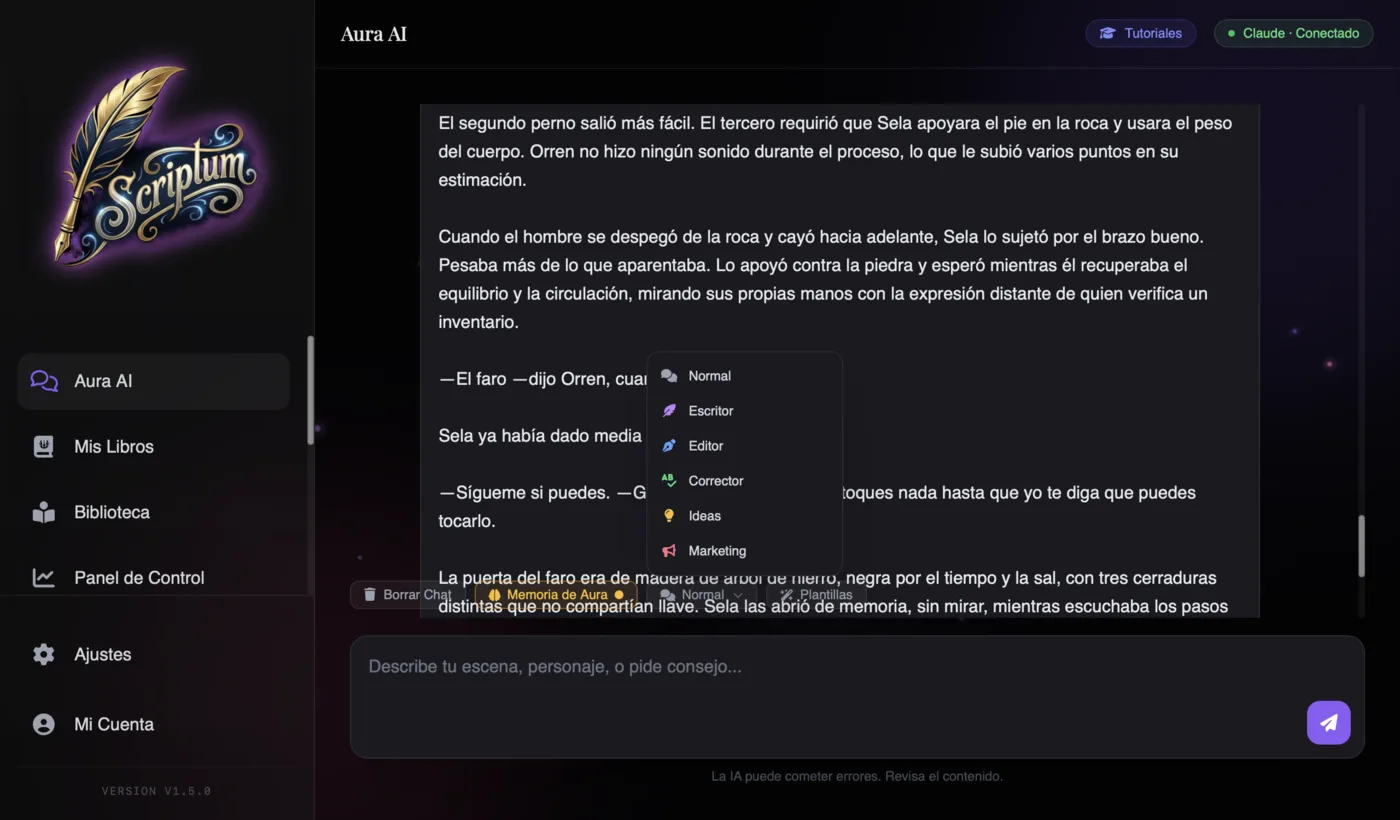
Aura is Scriptum's built-in chat, and it's not a ChatGPT bolted onto an editor. The difference is context: in every conversation, Aura receives your World Bible, your Planner, the summaries of previous chapters and the chapter you have open. It knows what your story is about before you tell it. And it follows a house rule: it asks before it writes, instead of dumping five hundred words you never asked for.
It works in six modes, each aimed at a specific problem:
- Normal. Free-form conversation about your story: plot questions, brainstorming, style queries.
- Writer. Narrative prose from beats: you give it the points of the scene and it drafts 500+ words following your tone and your context. For when you know WHAT happens but can't find HOW to tell it.
- Editor. Improves your text without changing your voice. Polishing, not rewriting.
- Proofreader. Grammar and style, sentence by sentence.
- Ideas. Offers you 3 different narrative options to continue. You choose the path; none is forced on you.
- Marketing. Generates your book's sales description, keywords and Amazon categories. The module almost nobody else has, and it saves you an entire afternoon.
On top of that you get Aura Templates by genre (fantasy, thriller, romance…), the option to upload files as extra context, and the Narrator, which reads your scenes out loud: hearing your prose exposes the stumbles the eye forgives. If you want to see how this approach compares with other options, you'll find the full picture in the best AI tools for writing novels.
You choose Aura's brain
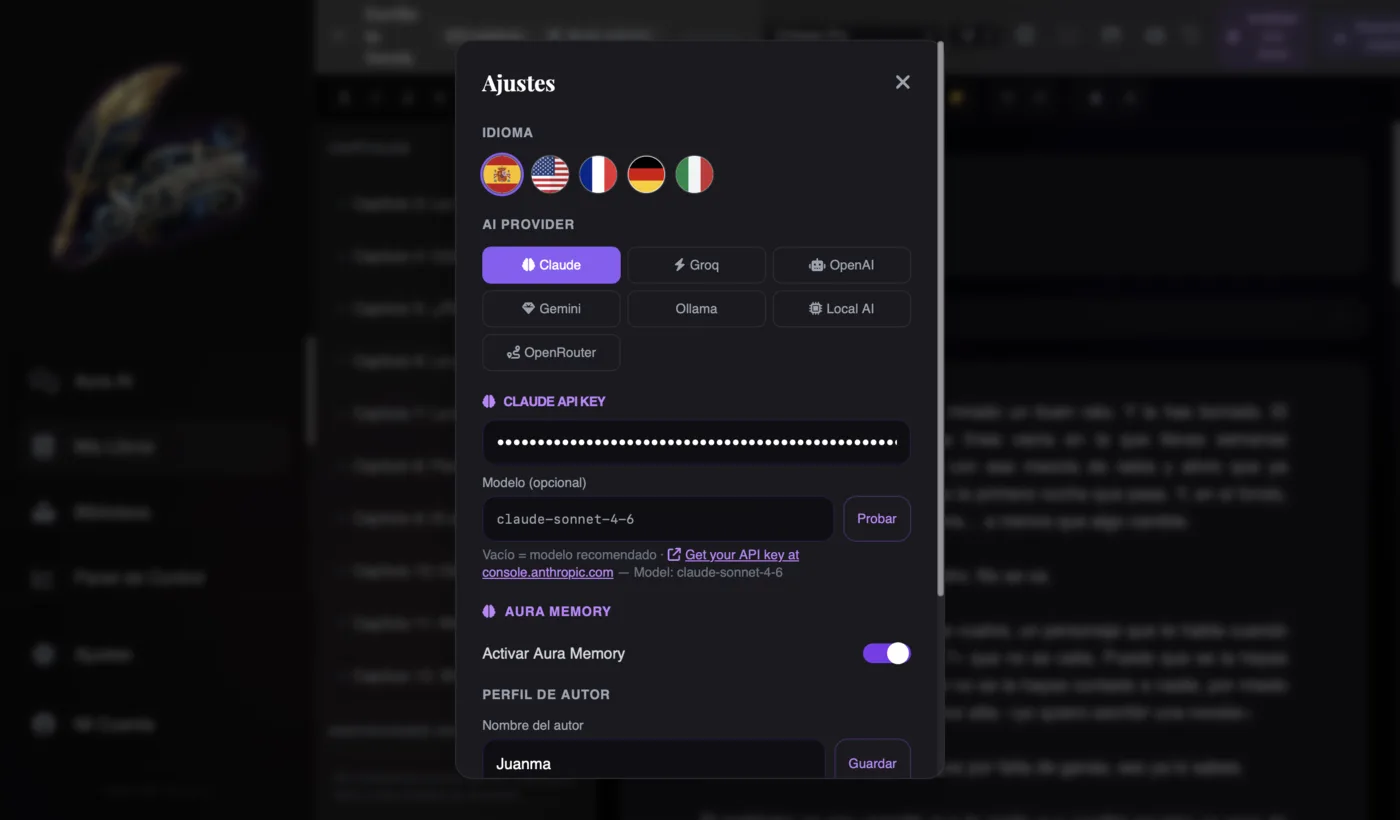
Most AI writing apps sell you credits and decide for you which model you use. Scriptum does exactly the opposite: it works with your own key (the BYOK model, bring your own key) and lets you choose between 7 providers: Claude, OpenAI, Gemini, Groq, Ollama, Local AI and OpenRouter.
- Free. Groq and OpenRouter's free models (like Llama 3.3 70B) give you quality AI without paying a cent per token.
- Premium. In the selector, every model carries an honest label: Claude Opus as "best prose", Gemini for "whole novel · 1M context" and Mistral for "European Spanish".
- 100% offline. Local AI runs the artificial intelligence directly on your computer. No connection, no cloud, and your novel never leaves your machine.
And privacy? Your key is stored in your browser, not on someone else's servers. Scriptum doesn't resell your data and doesn't sell credits: you're in charge of which model you use and how much you spend. And most important of all for any writer: your texts train no one. If you're weighing this approach against the competition, the comparison Scriptum vs Sudowrite vs NovelCrafter breaks it down point by point.
Aura's Memory: an AI that remembers your entire novel
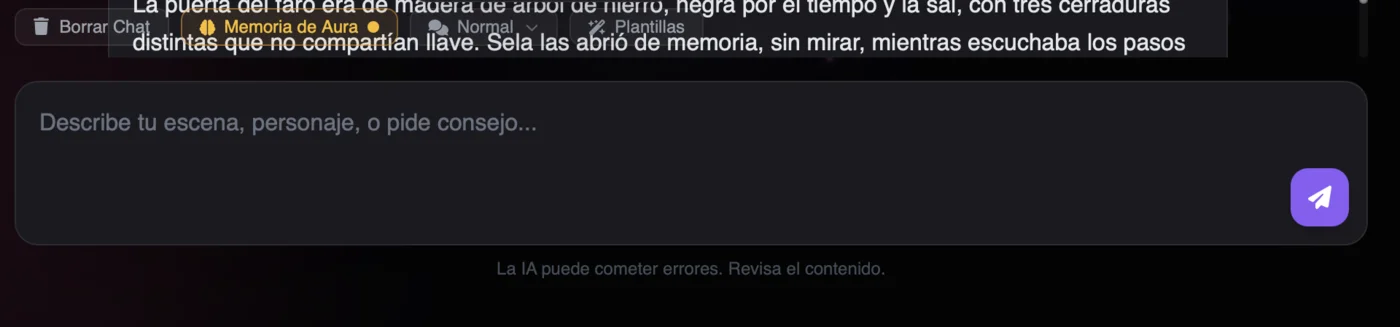
This is the problem that breaks more long novels than any other: by chapter 40 you no longer remember what colour the eyes of that side character from chapter 3 were, or what exactly your protagonist promised in the harbour scene. Re-reading the whole manuscript to check is time you don't have; not checking means an inconsistency your readers WILL spot.
In Scriptum you solve it by switching on the brain button: from then on, Aura remembers your novel by meaning — characters, plots, details, promises — and answers you instantly even if the fact sits thirty chapters back. It's the feature that keeps long novels and multi-volume sagas coherent. And it has one trait that makes it trustworthy: if something isn't in its memory, it tells you so instead of making it up. The memory is also local and private: it lives inside your .scriptum file, not on a server.
Where does this truly shine? In speed challenges. The Novel November challenge — heir to the classic NaNoWriMo, which shut down in 2025 — means writing 50,000 words in a month. At that pace there's no time to re-read anything: you write forward and Aura's memory keeps the thread for you. We cover what happened to the original event in the alternatives to NaNoWriMo and how to tackle the challenge, week by week, in how to write a novel in 30 days.
World Bible: your encyclopedia of characters and places
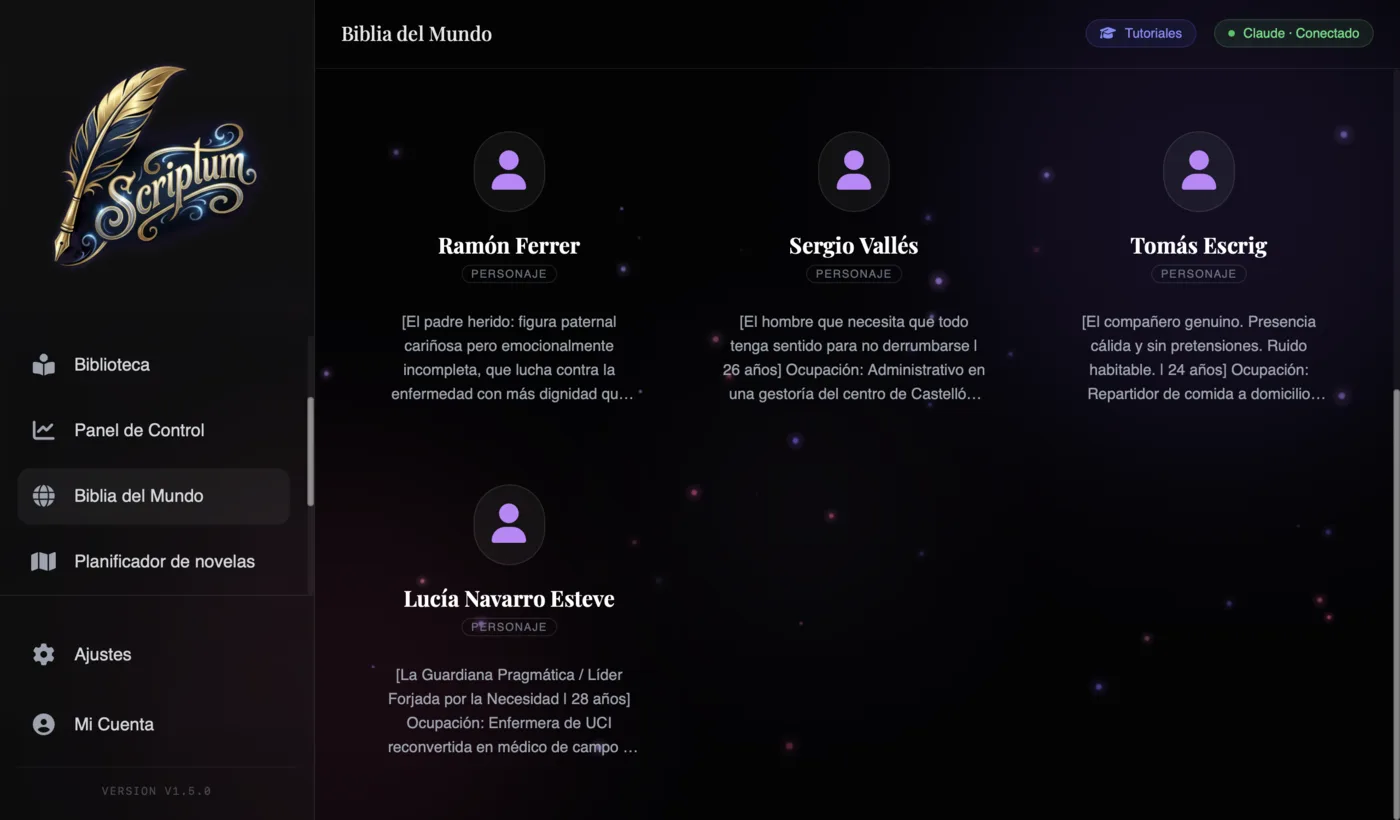
Every serious novel needs a bible: the document where everything that's true in your world lives. In Scriptum it's a module with sheets for Characters, Places, Objects and Lore. Each sheet supports aliases and keywords — so "the Mad King" and "Aerion II" are the same person — plus a context priority that decides which information the AI always receives and which only when it's relevant. Your bible isn't a dead file in some other folder: it's what Aura consults before it writes.
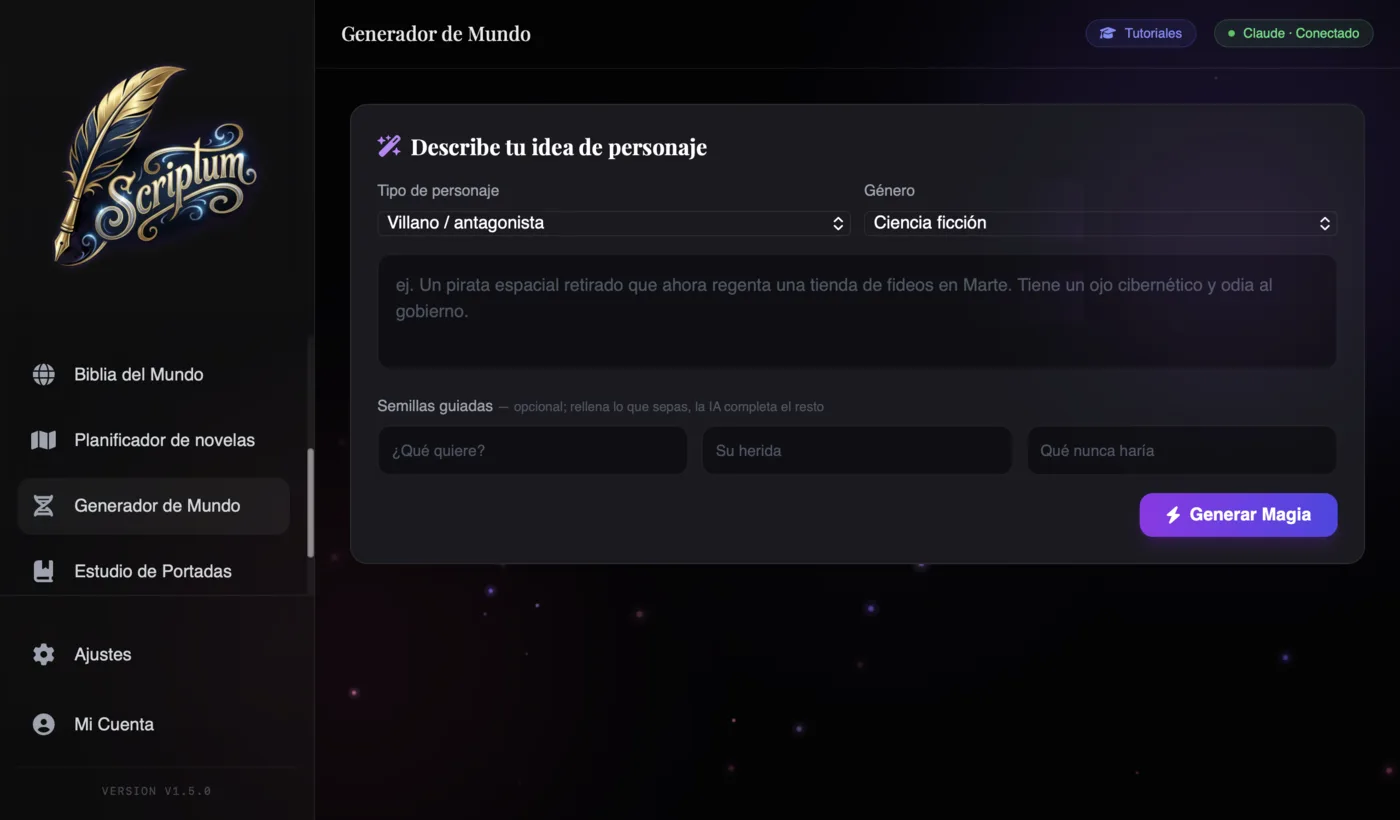
And if you're starting from scratch, the World Generator includes an AI Character Creator that works like a short interview: you describe the idea, pick a type and genre, and answer three guided seeds — What do they want? What's their wound? What would they never do? You hit "Generate Magic" and get a complete sheet ready to save into your Bible. Three well-chosen questions produce characters with desire, contradiction and a limit: exactly what separates a character from a name.
On why a well-kept bible is what saves long sagas from contradicting themselves, you have the full guide in how to build a consistent story bible.
Visual planner: your novel on a board
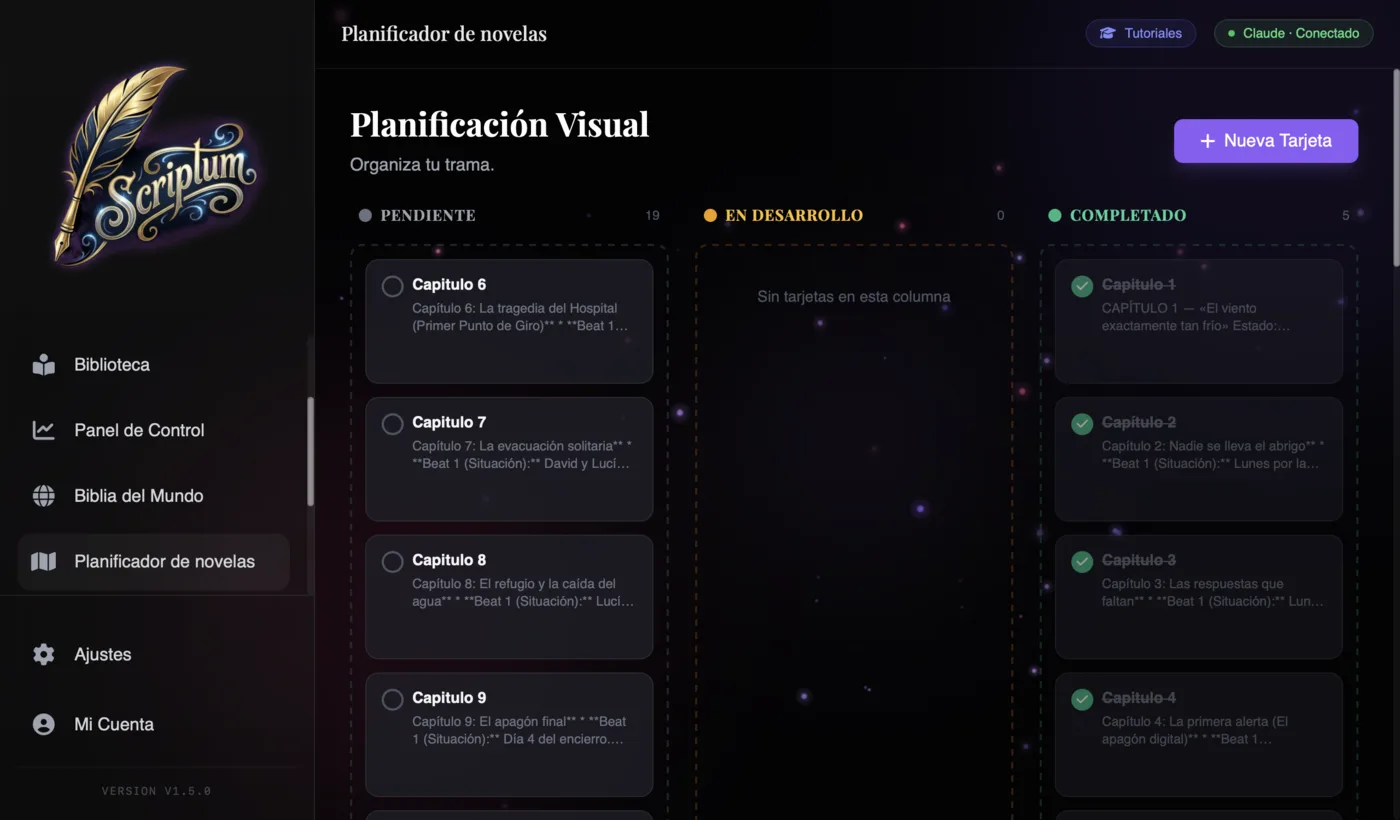
The Planner turns your plot into a kanban board with three columns: Pending, In Progress and Completed. Each card is a plotline or a milestone with its synopsis, and you move them by dragging and dropping. At a glance you can see which threads are moving, which have sat still for ten chapters and what's still missing before the ending.
The detail that changes everything: Aura reads the board. When you ask it for a scene, it knows where your story is heading because your plan is part of its context. If you're a structure person, you can build the board following a Save the Cat beat sheet; and if you're torn between planning everything or improvising, the classic plotter vs pantser will help you decide how much board you actually need.
An editor built for novelists
The heart of any novel writing software is the editor, and Scriptum's is full of decisions made for long-form fiction:
- Zen Mode and Pomodoro. A clean, distraction-free screen and a session timer to protect your writing hour.
- Novel formatting. A complete toolbar with a scene separator included — the one you end up improvising with asterisks in a generic word processor.
- Author annotations. Private notes inside the text — "check this date", "this needs more emotion" — that are NEVER exported. Your workshop doesn't leak into the book.
- AI Magic on your selection. Select a paragraph and choose: Continue, Make descriptive or Fix grammar. Without leaving the text, without opening the chat.
- Editing Aura. An instruction-driven editing mode: you tell it what to change and how, and it works on your text following your orders.
- Version History. Snapshots of every chapter and one-click restore. Rewrite without fear of losing what was working.
- Chapter summary. With Auto-summarize, every chapter keeps its synopsis up to date; those summaries feed Aura's context.
- Side panel. Bible and Planner always one click away, without leaving the editor. Check a character's sheet while you write their scene.
Writer's Dashboard: your progress, gamified
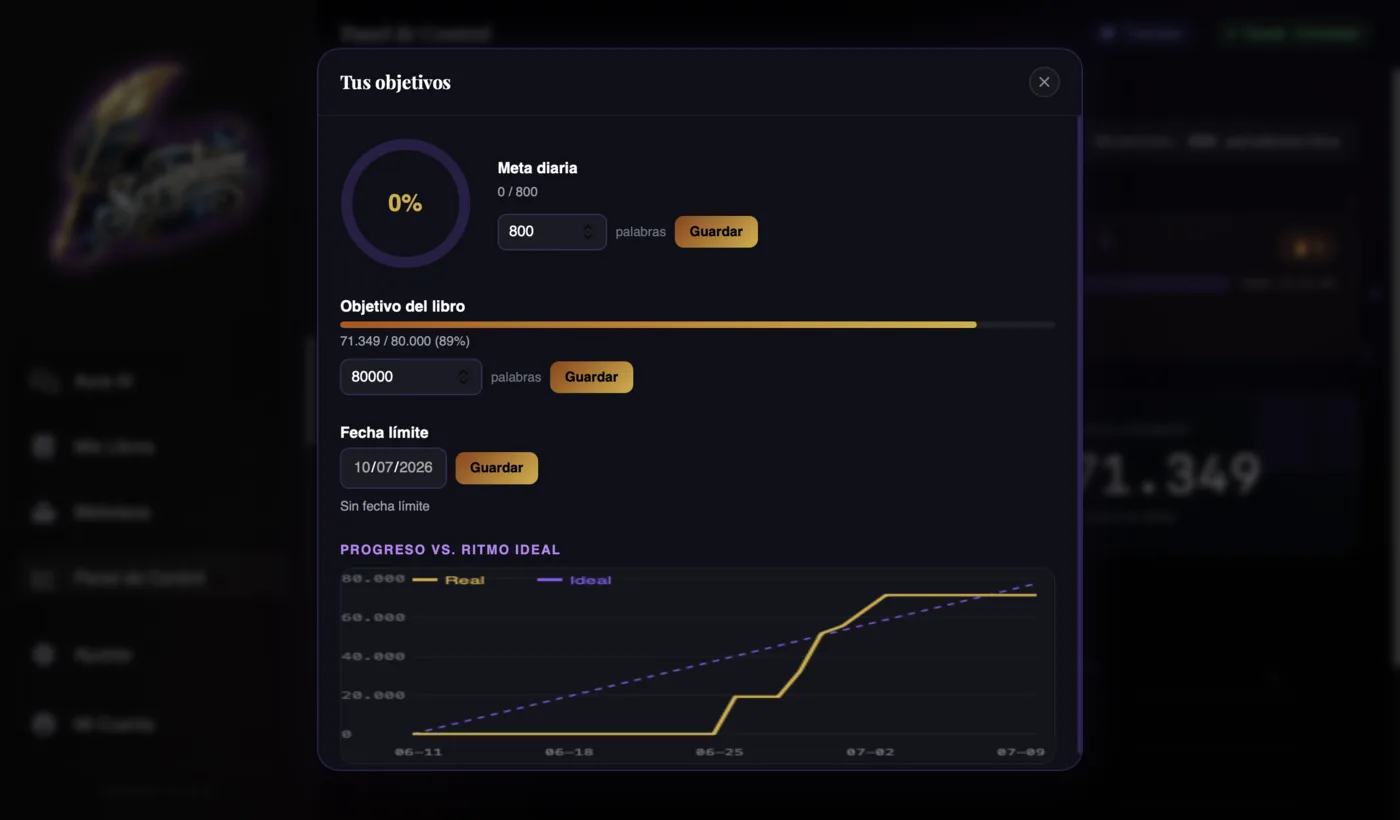
Books don't get finished on inspiration; they get finished on consistency. The Writer's Dashboard turns that consistency into something you can see: today's word count, your streak of consecutive writing days, and deadline goals paired with an Actual vs. Ideal chart — the same kind of curve the November challenges use to tell you whether you're ahead of or behind the plan.
The dashboard also learns from you: it detects your best writing hour, calculates your average speed and projects the date you'll finish at your current pace. And for those of us who need a carrot, there are 30+ achievements with ranks running from Apprentice to Literary Legend. It sounds like a game, and it is: a game whose final prize is a finished manuscript.
Cover Studio: design a professional cover
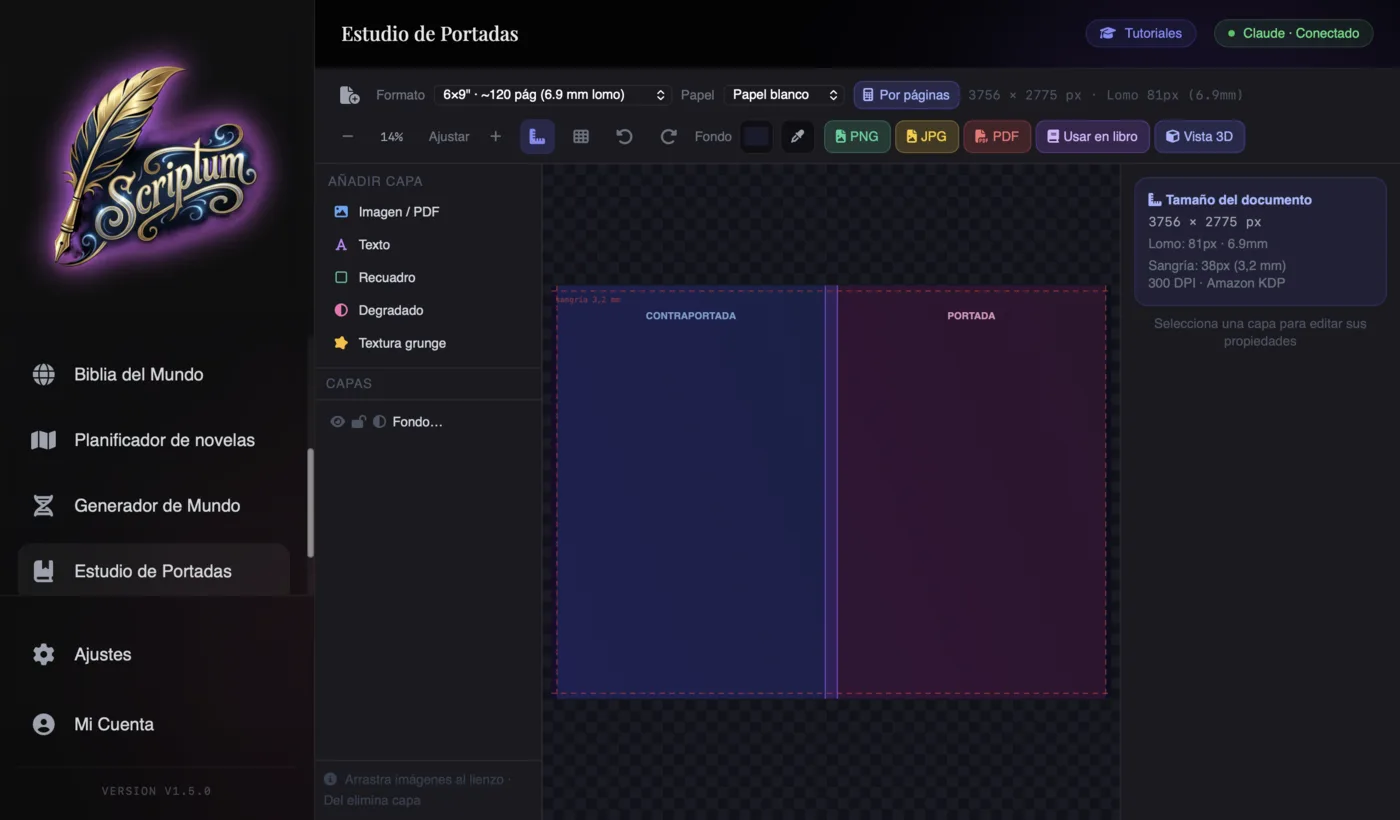
The cover is the first page that sells your book, and commissioning one costs between €100 and €500. The Cover Studio gives you the alternative inside the same program: a layer-based editor — image, text, gradients, textures — with templates and font pairings already matched by genre, because an epic fantasy and a Nordic thriller can't dress the same.
The technical part, which is where amateur designers usually crash, comes solved: REAL Amazon KDP measurements with automatic spine calculation based on your page count and paper type, bleed guides so nothing gets cut off at the printer, and a 3D Preview of the book so you can see it as an object before you publish it. If your image is short on resolution, "Enhance quality" upscales it with AI right in your browser: private and free. When you're done, you export PNG/JPG at 300 DPI or a KDP-ready PDF. The design fundamentals worth knowing beforehand are in how to design your novel's cover.
Publishing Studio: lay out your book like a publisher
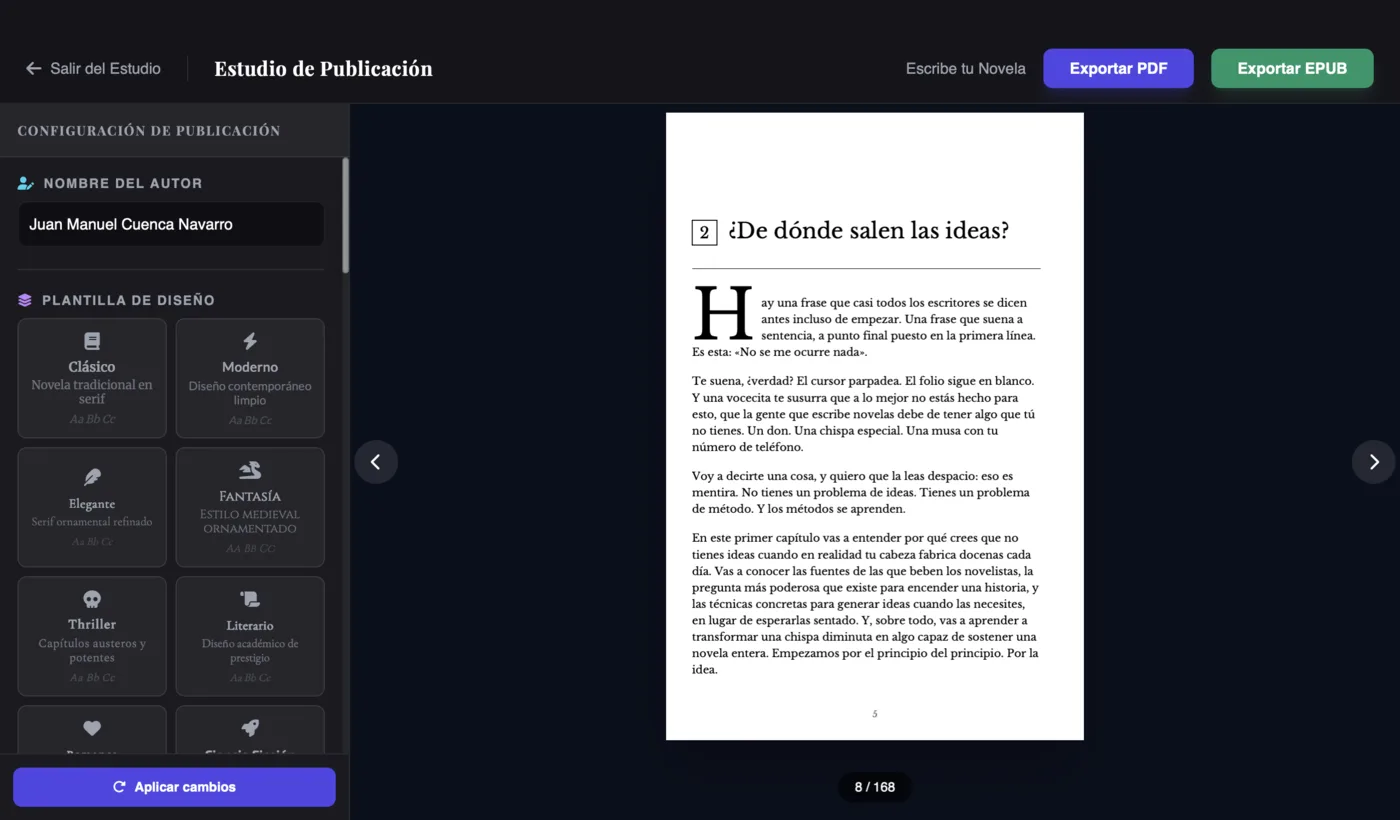
A reader can tell in three seconds the difference between a book laid out by a publisher and a Word file exported to PDF. The Publishing Studio closes that gap with 18 design templates — Classic, Fantasy, Thriller, Romance and more — built so your book's interior looks like it was made by someone who knows the craft.
Everything you'd expect from a professional typesetter is here: KDP page sizes (6×9", 5×8", 5.5×8.5"), a drop cap at the start of each chapter, scene separators, and the front matter every book needs: title page, copyright page, table of contents and dedication. Got a typeface of your own? Upload your .ttf font and lay out with it. And before you export, the Exact Preview shows you the PDF exactly as it will look, page by page. No surprises when you open the final file.
Export and publish in minutes
The end of the road: exporting. Scriptum generates a PDF with embedded fonts, ready to upload to Amazon KDP with no validation errors, plus EPUB for e-readers, DOCX for your editor, Markdown, JSON and a full backup in .scriptum format. The house promise: exports "ready to publish in minutes, not hours".
If you've never published, the full process — account, book listing, price, royalties — is explained step by step in how to publish your novel on Amazon KDP. With the PDF and EPUB that come out of Scriptum, the technical part is already done.
And there's more…
There are more pieces in the studio that deserve at least a line:
- Library. A built-in EPUB reader with progress tracking, because those who write, read.
- Font Studio (experimental). Create your own typeface inside the program.
- 7 visual themes. From the classic dark mode to atmospheres designed for long night sessions.
- Built-in tutorials. Step-by-step guides inside the app itself.
- Installable app. One click and Scriptum lives in your dock or on your desktop, like any native program.
How much Scriptum costs
Clear pricing with no fine print: €7.99/month or €86.99/year, which works out at €7.25/month. Cancel anytime, and the subscription includes both the web version and the desktop apps for Mac and Windows.
The nuance that matters versus the competition: there are no AI credits. You don't pay for word packs and you don't get stranded mid-scene because your balance ran out. With the BYOK model, the AI can be literally free — Groq, OpenRouter's free models or Local AI on your computer — or you can connect the premium models you prefer and pay only for what you use with your provider. You'll find the plan details on the pricing page and the full list of modules under features.
Conclusion: one program, your whole book
The search for the right book writing software usually ends in a pile of loose tools: one for writing, another for the sheets, another for the cover, another for the layout. Scriptum Writer Studio answers with a different philosophy: the entire journey — from the first word to the Amazon-ready PDF — inside one studio, with an AI that knows your story, remembers all of it and asks before it writes.
Is it for you? If you write long-form fiction and want coherence, privacy and a price with no surprises, yes. If you only need to jot down loose notes, a word processor is enough. But if your goal is to finish a book and publish it, working where all the pieces talk to each other changes the game. And best of all, you don't have to take our word for it: try it with your own novel.
Frequently asked questions
Is Scriptum free?
No. Scriptum costs €7.99/month or €86.99/year (which works out at €7.25/month), with the web version and the desktop apps for Mac and Windows included, and you can cancel anytime. What can end up being free is the AI: since it works with your own key (BYOK), you can connect no-cost providers like Groq, OpenRouter's free models or a local AI on your computer.
Does it work offline?
Yes. Scriptum is an installable app (PWA) that works offline: you can write, plan and edit without internet, because your projects are stored on your device in a local .scriptum file. You need a connection to use cloud AI, unless you set up Local AI, which runs the artificial intelligence 100% on your computer.
Are my texts private, or do they train some AI?
Your texts are yours and they train no one. Projects are stored on your device, your AI key lives in your browser, and Scriptum doesn't resell your data or use it to train models. If you want total privacy, turn on Local AI: the artificial intelligence runs on your computer and your novel never leaves it.
Can I use it to publish on Amazon KDP?
Yes, it's designed for exactly that. The Cover Studio works with Amazon KDP's real measurements — including spine calculation based on page count and paper type — and exports PNG/JPG at 300 DPI or an upload-ready PDF. The Publishing Studio lays out the interior in KDP trim sizes like 6×9 inches, and the exporter generates a PDF with embedded fonts and an EPUB ready to publish.
What languages is Scriptum available in?
The interface is available in five languages: Spanish, English, French, German and Italian. And you can write your novel in whatever language you like: Aura, the built-in AI, chats and writes in your language. For prose in European Spanish there are specially recommended models in the selector, such as Mistral.
Do I need technical knowledge to use the AI?
No. Connecting the AI means pasting a key into a settings field, and Scriptum includes built-in tutorials that guide you step by step. If you want zero hassle, OpenRouter with its free models is up and running in a couple of minutes. From there it's all conversation: you talk to Aura like a writing partner.