The best software to write novels depends on what you need. If you want a single tool that writes, organizes, designs the cover, lays out the interior and publishes to Amazon KDP, Scriptum Writer Studio is the most complete all-in-one studio, with AI that remembers your novel, available in five languages and from €7.25/month. For layout, Atticus; for AI prose, Sudowrite; for organizing huge manuscripts, Scrivener; for a free draft, Google Docs.
Writing a novel and choosing the software to write it are two different problems, and the second one gets solved in ten minutes if you know what to ask yourself. The usual mistake is to hunt for "the best" in the abstract, as if a universal winner existed. It doesn't. There's the best software for your way of working, your language, your budget and — above all — for how far you want to go: just write the draft, or finish with a book published on Amazon? This buyer's guide clears it up with no hype, giving each option credit where it's due.
What you really need to write a novel
Before you look at prices, get clear on the problem. A finished, publishable novel goes through four distinct jobs, and no program is born obliged to do all four. Knowing which ones you need is what saves you from overpaying — or falling short:
- Writing. Typing the text comfortably: a clean screen, focus, dialogue formatting and scene separators. It's the bare minimum, and even Notepad does it.
- Organizing. Keeping chapters, scenes, plotlines and character sheets under control. In a short story it doesn't matter; in a 120,000-word saga it's the difference between moving forward and drowning.
- Formatting. Turning the manuscript into a professionally laid-out interior: page sizes, drop caps, typography, table of contents. A reader can tell in three seconds a properly laid-out book from a Word file exported to PDF.
- Publishing. Generating the final files (PDF and EPUB with the correct measurements) and a cover with a properly calculated spine to upload to Amazon KDP or another platform.
Here's the crux: most programs solve one or two of these jobs and leave you to fend for yourself with the rest. That's why so many people end up with five separate tools — one for the text, another for the sheets, another for the cover, another for the layout — and a folder full of files that don't talk to each other. The more jobs a single program covers, the less friction and the fewer subscriptions. If you're still on the draft, start with the guide on how to write a novel; for the software, keep reading.
The right question isn't "which is the best program?" but "how many of the four jobs do I want to solve in the same place?".
The types of software for writing books
The whole market fits into four families. Recognizing which one each name belongs to saves you half the research:
- Word processors. Word, Google Docs, LibreOffice Writer. Generic, familiar, cheap or free. They write beautifully, but they don't understand what a character or a plot is. They're a general-purpose word processor, not a novelist's tool.
- Organizers for novelists. Scrivener, Ulysses, Bibisco. Their superpower is structure: they split the manuscript into cards, scenes and folders, and keep your sheets next to the text. A steeper learning curve in exchange for total control.
- AI writing assistants. Sudowrite, NovelCrafter, NovelAI. They were born around artificial intelligence: they generate prose, continue scenes, propose ideas. They shine at the "how do I tell it", not at formatting or publishing.
- All-in-one studios. Scriptum Writer Studio. The newest category: they bring together the four jobs — writing, organizing, formatting and publishing — plus the AI, inside a single application. Fewer programs, fewer hops, one subscription.
No family is "better" in a vacuum. A word processor is perfect if you only want to type; an all-in-one studio wins the moment your goal is to finish and publish without collecting tools. With that clear, let's get to the data.
Comparison: the best software to write novels (2026)
Five representative programs, one per typical scenario, with their real strengths and their honest limits. Prices are indicative (2026) and change with country and promotions; treat them as a reference, not an exact figure down to the cent.
| Software | What it's for | Indicative price | Built-in AI | Publish to KDP | Spanish support |
|---|---|---|---|---|---|
| Scriptum Writer Studio | All-in-one studio: write, organize, cover, format and publish | €7.99/month or €86.99/year (€7.25/month) | Yes — "Aura" AI with 6 modes and BYOK (7 providers). The AI can be free | Yes — formats the interior + designs a cover with spine; exports PDF/EPUB | Native (Spanish interface and prose) |
| Scrivener | Veteran organizer for long manuscripts | One-time payment ~€50-70 (no subscription) | No — no native AI | Partial — compiles to EPUB/PDF/DOCX, but doesn't design a cover | English interface; weak Spanish support |
| Sudowrite | AI assistant to generate and polish prose | ~$19-44/month depending on credits | Yes — the best generative prose on the market | No — doesn't format or design a cover | English; writes in Spanish with acceptable quality |
| Word / Google Docs | Generic word processor | Word ~€7/month (M365); Docs free | Paid and generic (Copilot/Gemini), not for fiction | No — exports DOCX/PDF, no KDP tools | Multilingual, native Spanish |
| Atticus | Professional interior formatting and layout | ~$147 one-time payment | No — doesn't write with AI | Yes, interior only — EPUB/PDF for KDP; no cover | English interface |
Read the table by columns and what matters jumps out: there are programs that write but don't publish, others that publish but don't write, and only one that covers the whole line. Now, the why behind each verdict.
The best all-in-one: Scriptum Writer Studio
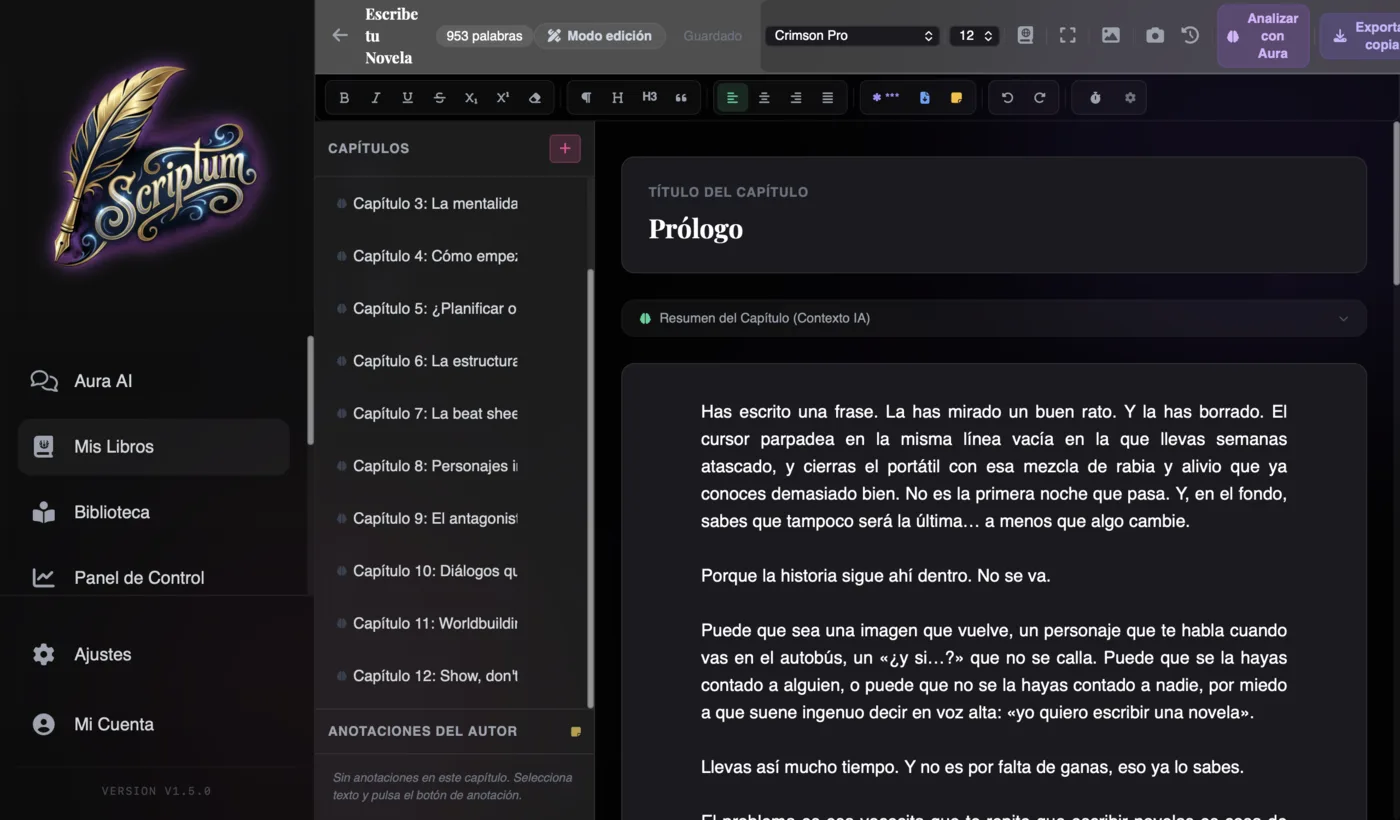
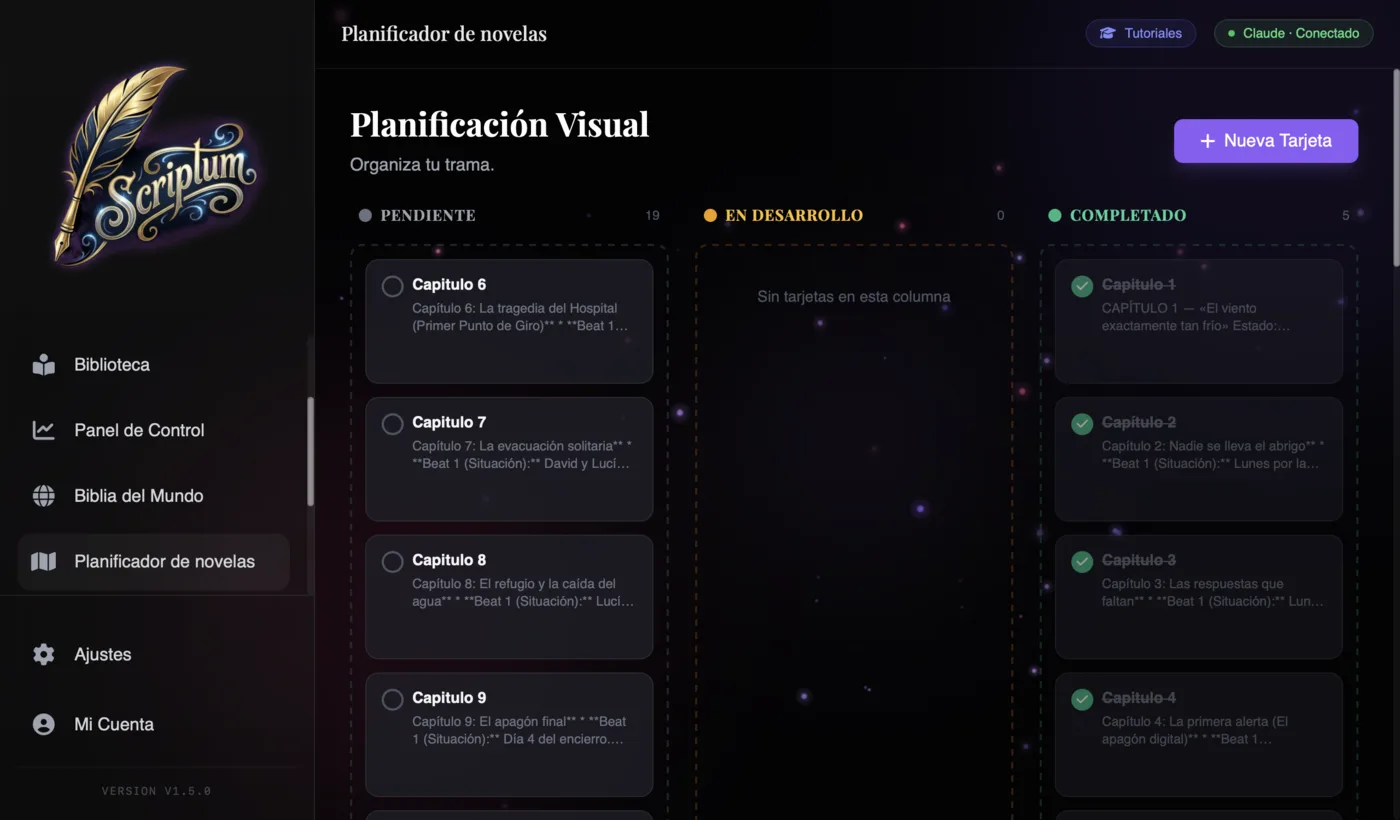
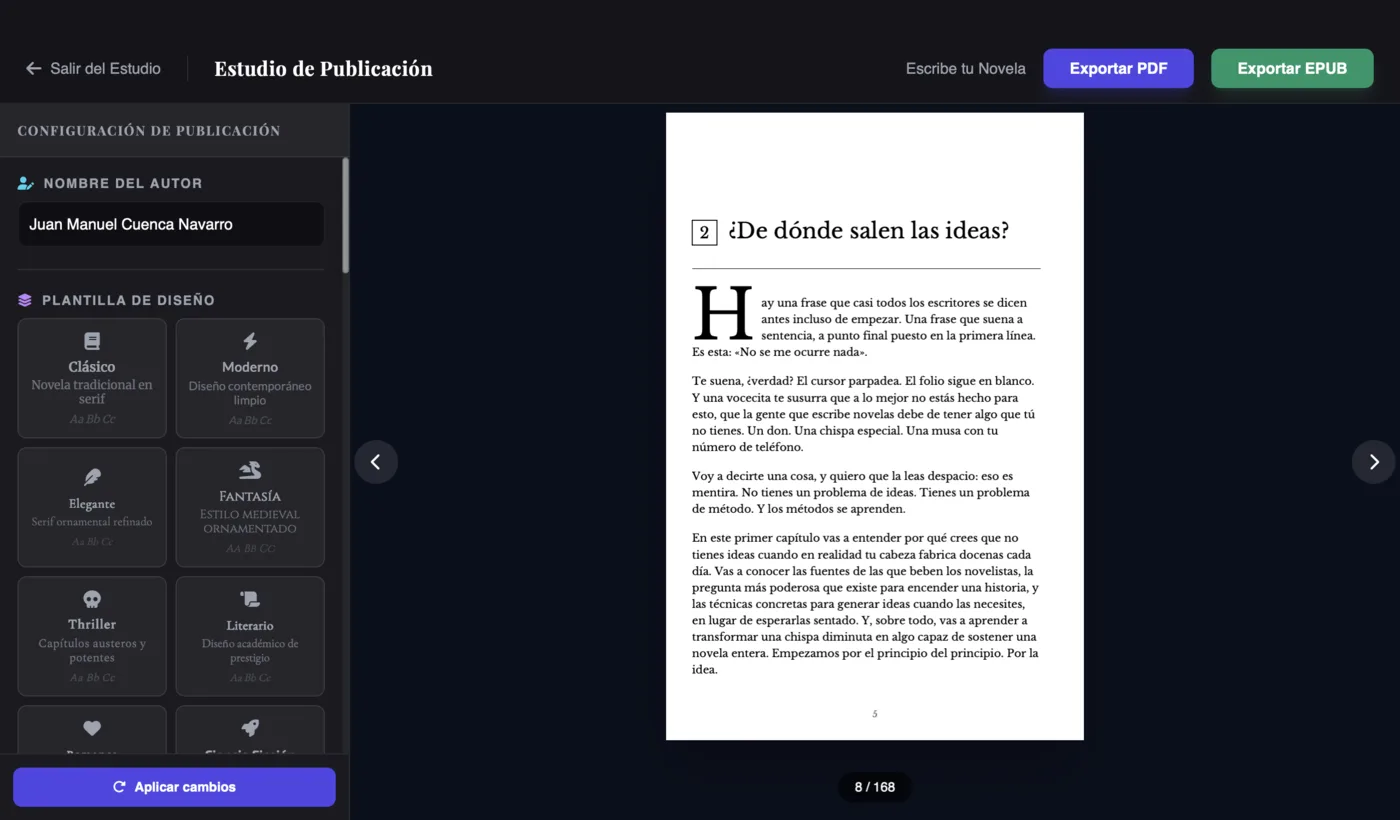
If your goal is to finish the novel and publish it, Scriptum is the most complete option because it solves the four jobs inside the same program. You write in an editor built for fiction (Zen mode, novel formatting, scene separators, annotations that aren't exported), you organize with a World Bible of characters and places and a kanban-style visual planner, you design the cover and lay out the interior with professional templates, and you export ready for Amazon. No hopping between apps, no stray files.
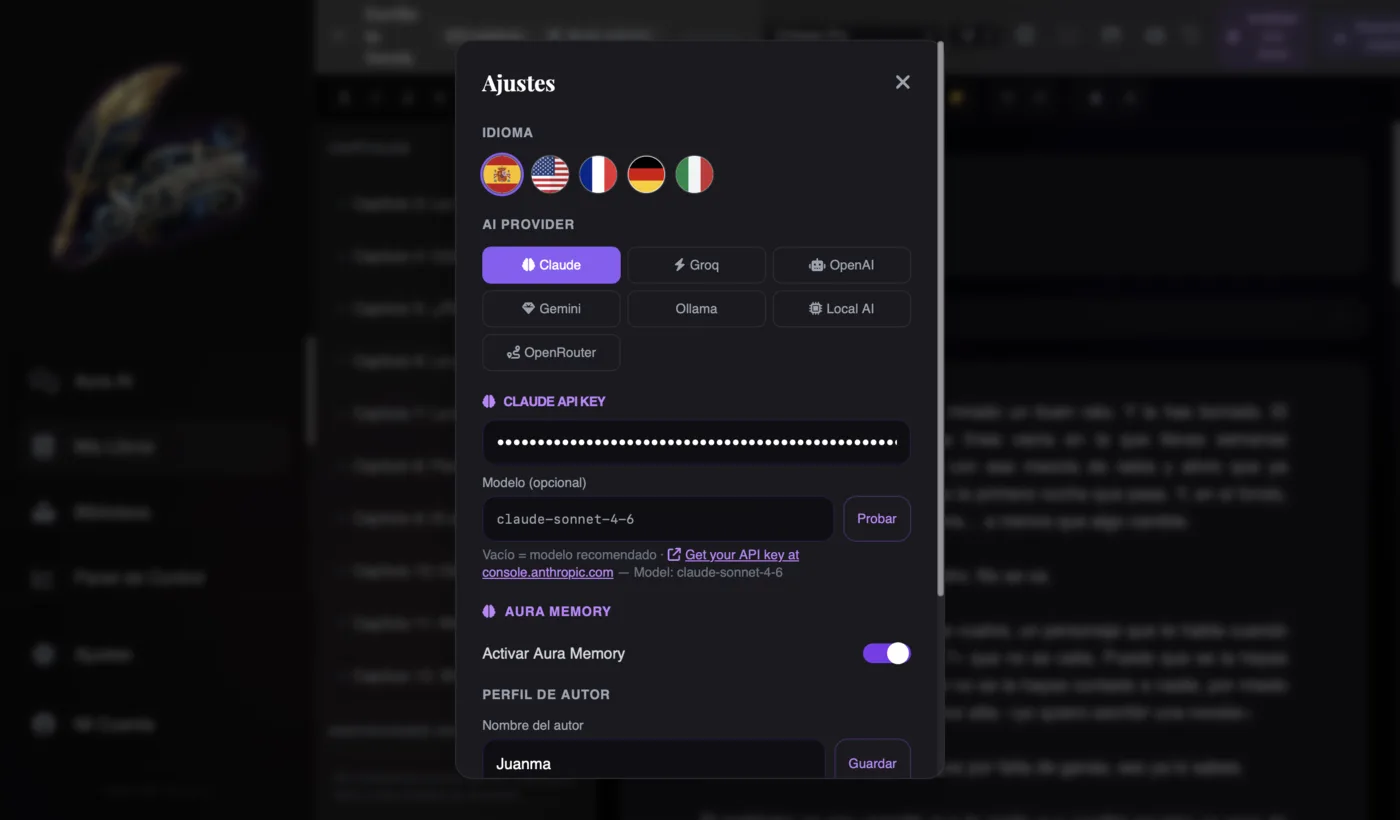
Its strongest differentiator is the "Aura" AI, for two specific reasons. First, the memory: with the brain button switched on, Aura remembers your novel by meaning — characters, plots, promises — and answers you even when the detail sits thirty chapters away; it's what holds long sagas together. Second, the BYOK model (bring your own key): instead of selling you credits, you connect your own key and choose among seven providers (Claude, OpenAI, Gemini, Groq, Ollama, Local AI and OpenRouter). The practical upshot? The AI can be literally free with Groq or OpenRouter's free models, or run 100% offline with Local AI, without your manuscript ever leaving your computer.
On top of that come the details that make a genuinely well-rounded product: a 5-language interface (Spanish, English, French, German and Italian), recommended models for European Spanish prose, offline operation as an installable PWA, and your projects saved on your device in a local .scriptum file — with no forced cloud. The pricing is transparent: €7.99/month or €86.99/year (which works out at €7.25/month), with web and desktop for Mac and Windows included, and no AI credits that run out mid-scene.
The honest caveat? By bringing together so many modules, there's more to explore on day one than in a word processor; and if you only want to type loose notes, it's more than you need. You have the module-by-module walkthrough in the full tour of Scriptum Writer Studio, and the plan details on the pricing page and the features.
The best software for each case
No program wins at everything. Depending on your priority, here's the one I'd choose:
- The best free option: Google Docs. Zero cost, autosave, you write from any device and share the draft with your editor in one click. It doesn't organize novels or format them, but to kick off your first draft without spending anything, it's unbeatable. LibreOffice Writer is the free desktop alternative.
- The best for AI prose: Sudowrite. It's where generative AI is most polished: it continues scenes, describes with rich sensory detail and proposes twists with a prose quality that's hard to match. It's in English and it doesn't format or publish, but if what you want is a creative-writing engine, it's the benchmark.
- The best for formatting alone: Atticus. If you already have the manuscript and only want a flawless interior for KDP, Atticus (one-time payment ~$147) does an excellent job on any operating system. It doesn't write or design the cover, but it formats like a pro.
- The best for organizing long sagas: Scrivener. The veteran. Its corkboard of cards and its scene view are still a reference for gigantic manuscripts, with the advantage of a one-time payment and no subscription. In exchange: a hard learning curve, a dated interface, no AI and poor Spanish support. If it tempts you but that steep curve holds you back, take a look at the alternatives to Scrivener.
- The best for beginners and for finishing published: Scriptum. A gentle curve with built-in tutorials, everything in one place and in your language, with AI that accompanies you without taking the wheel. If you're starting from scratch and want to reach a published book without assembling a puzzle of tools, it's the shortest path.
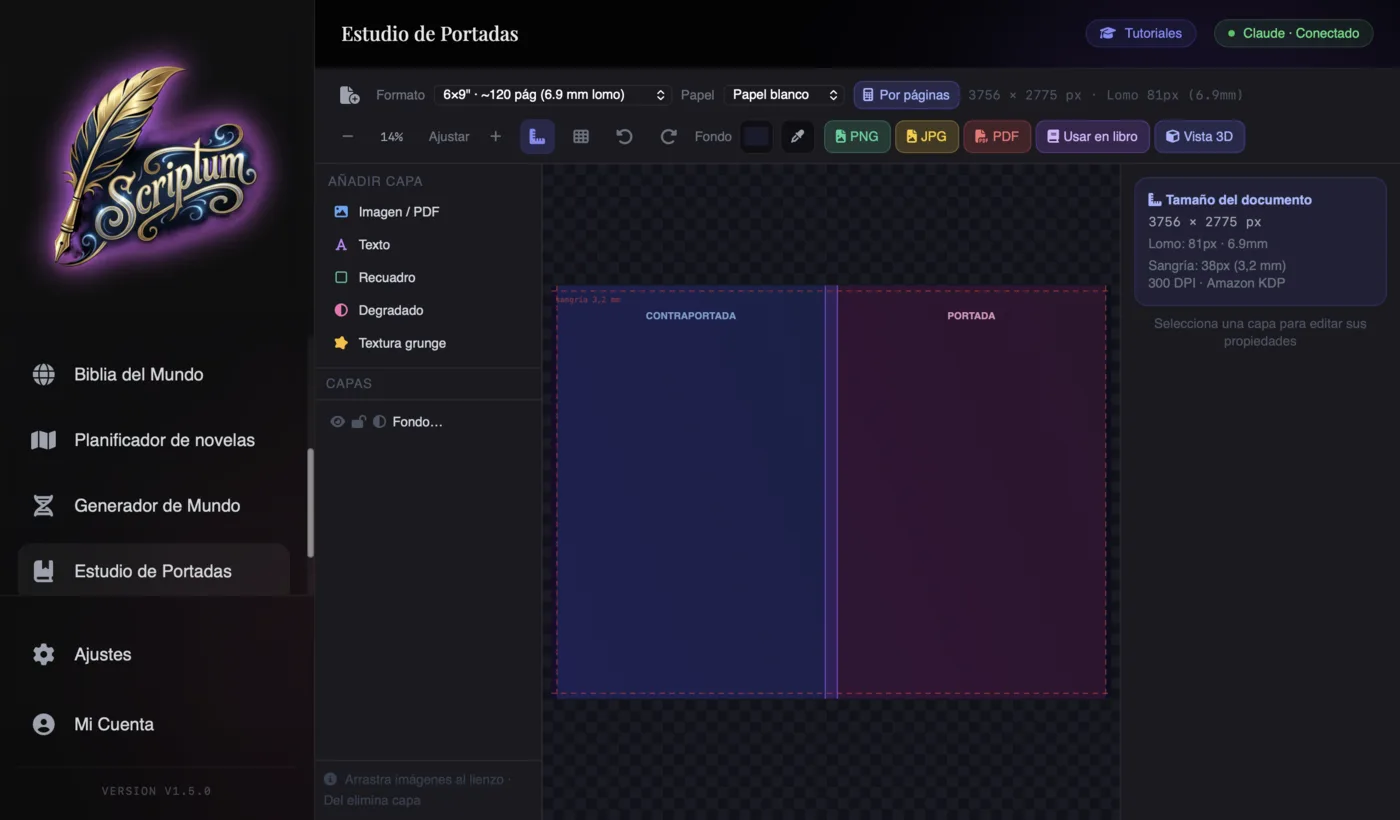
Notice the pattern: specialized programs do one thing beautifully and leave you to find the rest. That's where an all-in-one studio changes the maths, because the link most people forget — the cover with a properly calculated spine — usually falls outside both the formatters and the AI assistants. To see how the AI assistants compare with each other, you have the overview in the best AI tools for writing novels and the head-to-head in Scriptum vs Sudowrite vs NovelCrafter.
How to decide which software to use
Boil the decision down to four questions and you'll be left with a single candidate standing:
- What language do you write in and need the interface in? If you work in a language other than English and don't get by fully in English, rule out anything that isn't translated and prioritize native support.
- How far do you want to go? If it's only the draft, a word processor is enough. If you want to publish on Amazon, you need formatting and a cover: either an all-in-one studio, or combining two or three programs.
- Do you want AI, and how do you want to pay for it? If the answer is yes, look at the pricing model: credits run out; BYOK lets you control your spending and even use free or local AI.
- Do you prefer a one-time payment or a subscription? Scrivener and Atticus are one-time payments (you pay once, no AI included); Scriptum, Sudowrite and NovelCrafter are subscriptions (always updated, with AI). Neither better nor worse: different.
With those four answers, the map sorts itself out. A writer who wants to finish and publish with AI without collecting tools: an all-in-one studio. An author who loves generative prose: Sudowrite. A born organizer with a thousand-page tome: Scrivener. Someone who only formats: Atticus. And whoever's starting with no budget: Google Docs for the first draft.
Conclusion: choose by your goal, not by the trend
There's no universal "best software to write novels", and anyone who sells it to you as absolute truth is selling you something. There are families of programs, each strong at a different job, and a decision that depends on your language, your budget and your goal. If you only want to type, a word processor will do; if you live on AI prose, Sudowrite; if you organize enormous worlds, Scrivener; if you only format, Atticus.
That said, if your goal is the most common one — writing a good novel and publishing it — and you don't want to build a puzzle of five subscriptions, an all-in-one studio like Scriptum Writer Studio solves the whole line with an AI that knows your story, in your language and at a price with no surprises. Choose by your goal, not by what's trending. And best of all, you don't have to take anyone's word for it: try it with your own novel.
Frequently asked questions
What is the best software to write a book?
There's no single winner: it depends on what you need. If you're after one tool that writes, organizes, formats and publishes, the all-in-one studio Scriptum Writer Studio is the most complete option (from €7.25/month on the annual plan). If you only want to organize a huge manuscript, Scrivener is a hugely powerful veteran with a one-time payment. For formatting the interior, Atticus; for generating prose with AI, Sudowrite; and for a quick, free draft, Google Docs.
Are there free programs to write novels?
Yes. Google Docs and LibreOffice Writer are free and work for writing the draft, though they don't understand novels: they don't organize chapters, scenes or characters. Scriptum is paid (€7.99/month), but it lets the artificial-intelligence part be free thanks to its BYOK model: you can connect Groq, OpenRouter's free models or a local AI on your computer without paying a cent per token.
Do I need software with AI to write a novel?
You don't need it, but it helps a lot. An AI that knows your story speeds up the first drafts, unblocks you and catches inconsistencies in long novels. The key is that it's the co-pilot, not the pilot: you write and decide, the AI assists. If you prefer to write without AI, an organizer like Scrivener or a word processor is enough for the draft.
Is Word good for writing a novel?
It works, and many authors have written entire books in Word. But it's a generic word processor: it doesn't organize chapters, scenes or character sheets, it doesn't design covers or format for Amazon KDP, and its AI (Copilot) isn't built for fiction. For a short story or a short book it's fine; for a long saga with dozens of characters it falls short and you'll end up using several separate programs.
What software do professional writers use?
There's no single standard. Many English-language novelists organize with Scrivener and then format with Vellum or Atticus. More and more independent authors work with all-in-one studios like Scriptum, which bring together writing, planning, cover, formatting and publishing without leaving the program. Traditional publishers, on the other hand, almost always ask for the manuscript in Word with a standard format.
Which software can I use to publish on Amazon KDP?
To publish on Amazon KDP you need two things: a laid-out interior (PDF or EPUB with KDP's measurements) and a cover with a spine properly calculated for the page count. Atticus formats the interior, but for the cover you'd need another tool. Scriptum does both: the Publishing Studio lays out in KDP trim sizes like 6×9 inches and the Cover Studio calculates the spine automatically, and it exports PDF and EPUB ready to upload.