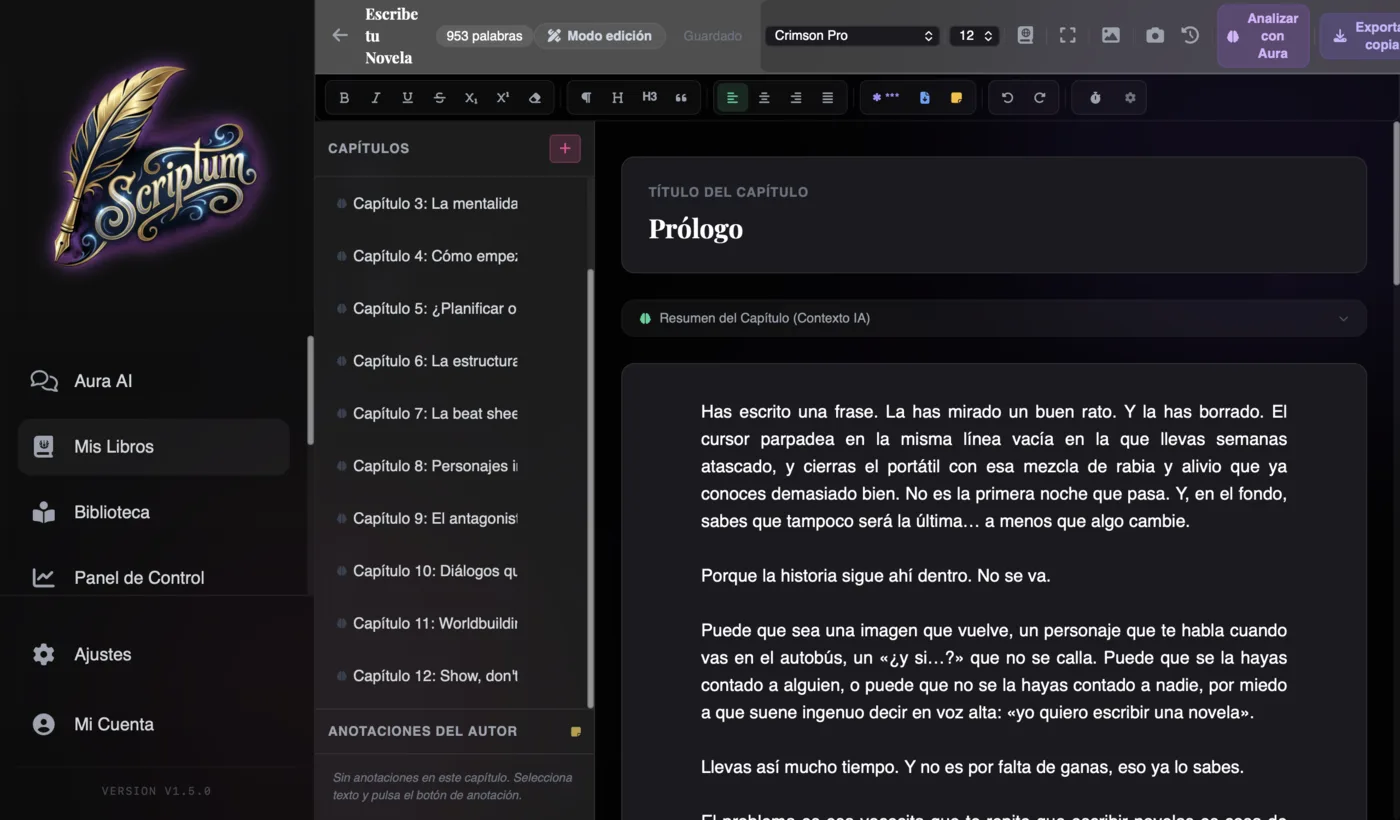
Looking for Scrivener alternatives? Scrivener is still a great manuscript organizer, but in 2026 it falls short: no native AI, no cover design, and an interface that barely speaks Spanish. The best all-in-one alternative is Scriptum Writer Studio: write with an AI that remembers your novel, plan, design the cover, lay out the interior and publish on Amazon KDP — in your own language and from €7.25/month.
Scrivener is a legend. It has been the go-to tool for serious novelists since 2007, and for good reason: few apps organize a long manuscript so well. But "legend" and "what you need today" don't always line up. If you've landed here, it's because you use Scrivener — or you're thinking about it — and you sense something is missing: writing with AI without leaving the program, designing the cover, laying out for Amazon or, quite simply, working in your own language without fighting English-only menus. In this comparison we'll be honest about what Scrivener does well, what has outgrown it in 2026, and which alternative fits best depending on how you write.
Why look for a Scrivener alternative
Let's be fair first: Scrivener does a lot of things well, and that's worth acknowledging before criticizing it. Its corkboard, the binder for reordering scenes by dragging, per-document metadata, word targets, version snapshots and its compile engine are years of work. And there's a weighty argument in its favor: you pay once, with no monthly fees. For anyone who already masters it, it's still a machine for organizing novels. You can read its history in the Scrivener entry on Wikipedia.
That said, in 2026 there are four cracks that push a lot of people to look for a program like Scrivener but more modern:
- No native AI. Scrivener organizes your text; it doesn't help you write it. If you want artificial-intelligence assistance, you have to jump out to ChatGPT or Claude in another tab and copy and paste by hand. You lose your story's context on every trip.
- No cover design. It can lay out the interior with its Compile feature, but the cover — the first thing that sells your book — has to be made somewhere else (Canva, Photoshop, a designer).
- Steep learning curve. Its power comes at a price: Scrivener overwhelms. Many writers admit they use 10% of the program because the rest demands tutorials and patience.
- Dated interface and weak Spanish support. The design carries the look of another decade, and the Spanish localization is partial: menus, help and community live mostly in English.
None of these cracks make Scrivener "bad". They simply mark the gap a modern alternative can fill: less friction, real AI inside the editor, and the whole road to publication — cover included — in one place and in your own language.
Scrivener solved the problem of organizing a novel. The 2026 problem is a different one: writing, illustrating, laying out and publishing without jumping between five programs, and with an AI that knows your story.
What a good Scrivener alternative should have
Before comparing names, set the bar. A Scrivener alternative worth having in 2026 should tick this checklist:
- Built-in AI with context. Not a chatbot glued to the side, but an AI that knows your characters, your plots and what you've already written. The difference between generating generic text and continuing your novel.
- Genuinely all-in-one. Organize + write + plan + design the cover + lay out + export. The fewer programs you need, the fewer stray files and the less broken concentration.
- Real Amazon KDP publishing. Correct measurements, spine calculation, a PDF with embedded fonts and a valid EPUB. This is where most fall halfway short.
- Native language support. Interface, support and — if there's AI — prose in your own language (European Spanish included). Writing in your language shouldn't be a patch.
- Clear pricing and your data with you. No fine print, no forced cloud, with the option to work offline and store your manuscript on your device.
By this yardstick, no tool is "the best" in the abstract: it depends on which boxes matter most to you. Let's see them at a glance. And if you also want the wider lay of the AI land, there's the broad comparison in the best AI tools for writing novels.
Comparison: Scrivener vs Scriptum vs Novelcrafter vs Atticus vs Ulysses
This table sums up the five most common options when someone is looking for Scrivener alternatives. Prices are indicative as of July 2026 and may vary by region and promotions.
| Tool | Indicative price | Built-in AI | Cover design | KDP layout | Native Spanish | Platform | Learning curve |
|---|---|---|---|---|---|---|---|
| Scriptum | €7.99/month or €86.99/year | Yes — Aura, 6 modes, with novel memory and BYOK (can be free) | Yes — Cover Studio with KDP measurements and spine | Yes — 18 templates, PDF/EPUB ready | Yes — interface, support and AI | Web + Mac + Windows (offline) | Gentle |
| Scrivener | Around €60 (one-time, per platform) | Not native | No | Yes, via Compile (manual, with a curve) | Partial localization (English) | Mac + Windows + iOS | Steep |
| Novelcrafter | ≈$4–14/month + API usage | Yes — BYOK with your own key | No | Limited (exports the manuscript) | English interface | Web | Medium |
| Atticus | ≈$147 (one-time) | No | No | Yes — it's their specialty | English interface | Web (all platforms) | Medium-gentle |
| Ulysses | ≈$5.99/month or $49.99/year | Not native | No | Basic (exports EPUB/PDF) | Partial | Apple only (Mac/iOS) | Gentle |
Scriptum: the all-in-one alternative that speaks your language
If Scrivener was born to organize, Scriptum Writer Studio was born to walk you from the first word to the Amazon PDF without leaving the program. It's a complete studio: you write, plan, design the cover, lay out the interior and export, all inside the same application and in your own language. You have the module-by-module tour in the complete Scriptum studio, but here are the four reasons it fits as a Scrivener replacement.
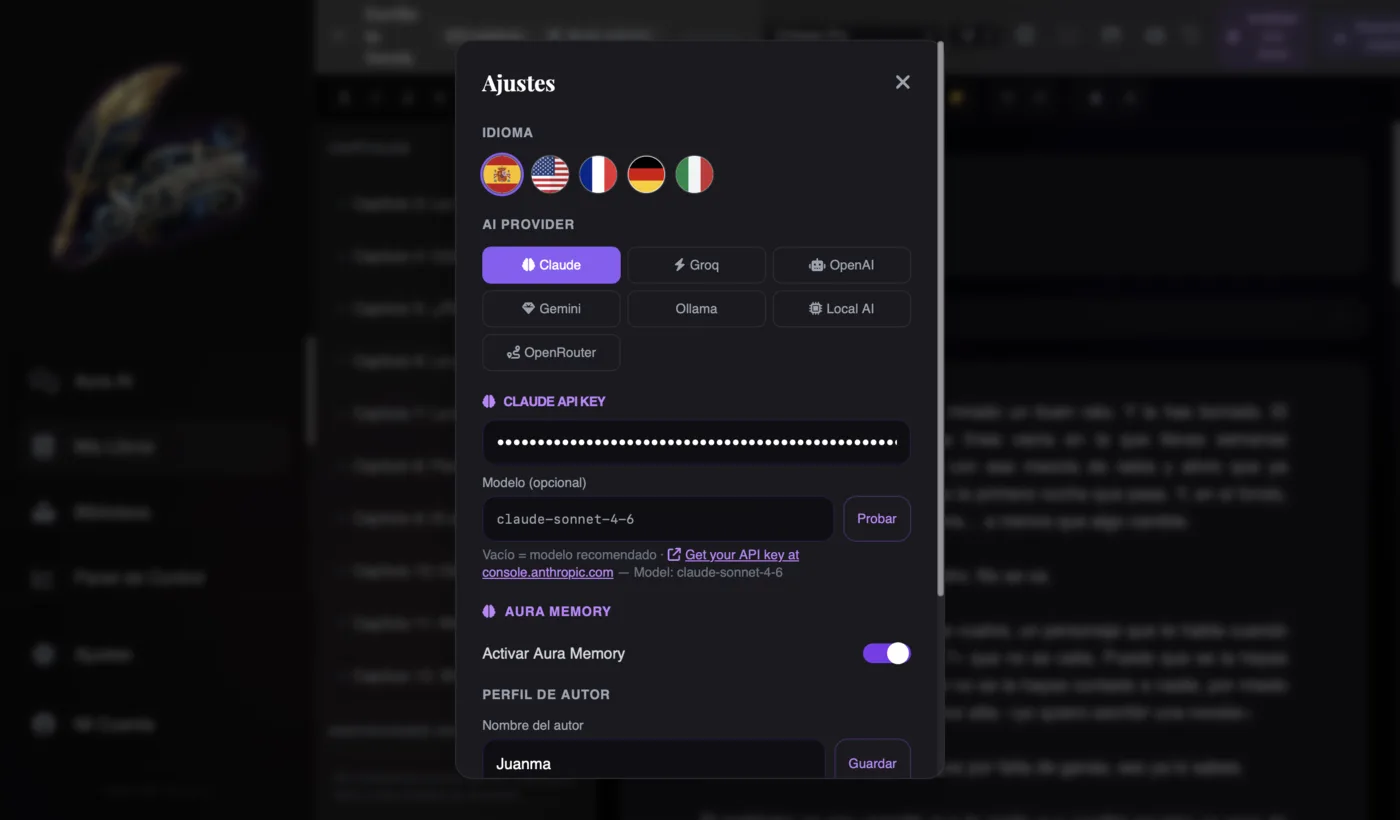
1. AI that remembers your entire novel. What Scrivener doesn't do at all, Scriptum makes its banner. Its AI, Aura, works in six modes (Normal, Writer, Editor, Proofreader, Ideas and Marketing) and, once you switch on memory, it remembers your story by meaning: you can ask it on chapter 40 about a detail from chapter 3 and it answers instantly, without you re-reading a thing. And if a fact isn't in its memory, it tells you instead of making it up. That coherence is exactly what holds long novels and sagas together.
2. The AI can cost you nothing (BYOK). Scriptum doesn't sell credits: it uses your own key and lets you choose between seven providers — Claude, OpenAI, Gemini, Groq, Ollama, Local AI and OpenRouter. With Groq or OpenRouter's free models you write with AI without paying a cent per token; with Local AI, everything runs on your computer and your novel never leaves it. Against the "pay per word" of other tools, here you're in charge of the model and the spend.
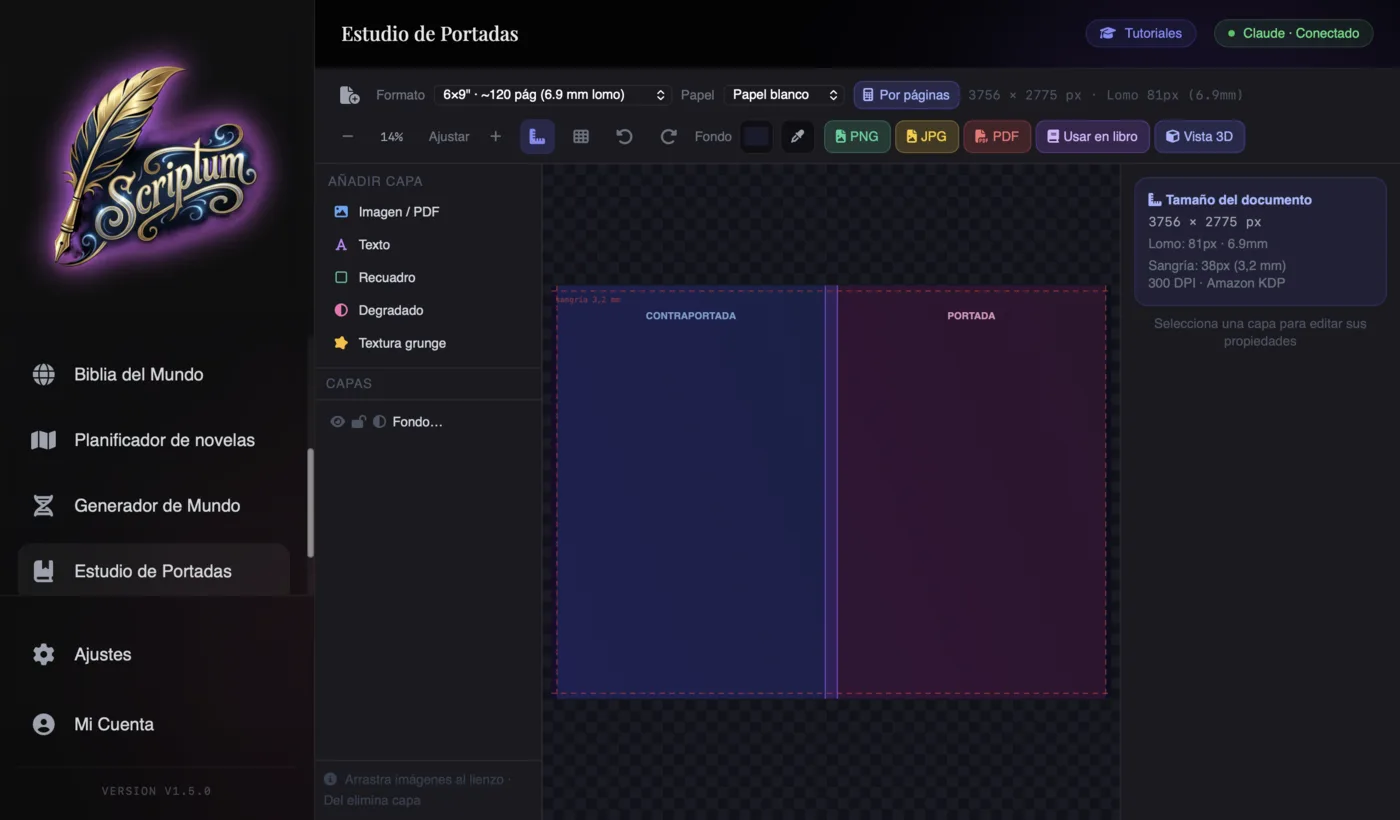
3. The whole road to Amazon, including what Scrivener doesn't cover. Here's the most visible difference. The Cover Studio designs the cover with real KDP measurements and spine calculation based on your page count and paper type — something that simply doesn't exist in Scrivener. The Publishing Studio lays out the interior with 18 templates (Classic, Fantasy, Thriller, Romance…), a drop cap and KDP trim sizes like 6×9". And the exporter generates a PDF with embedded fonts, plus EPUB, DOCX, Markdown and JSON. If you've never published, the process is explained in how to publish your novel on Amazon KDP.
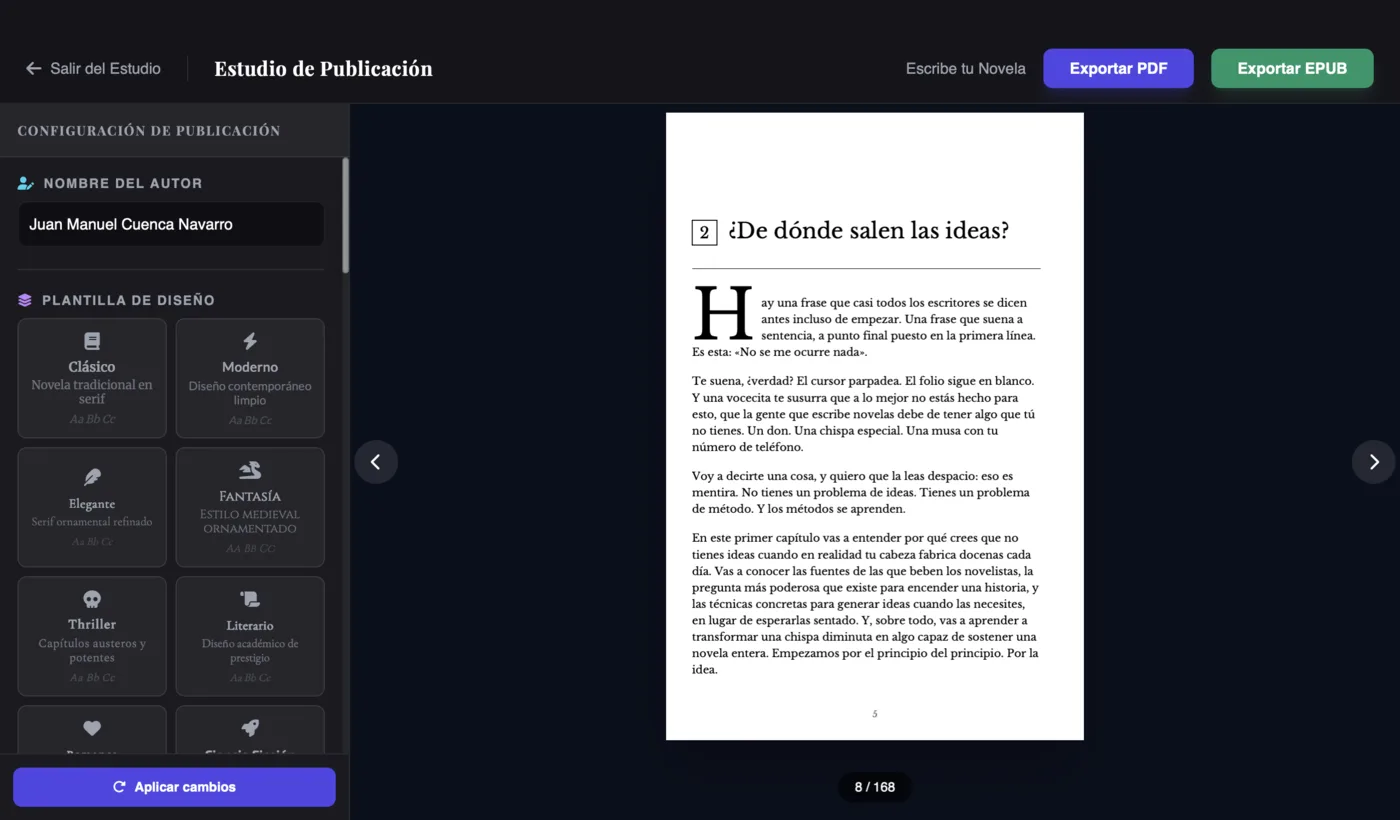
4. In your own language, offline and with your data on your side. The interface comes in five languages (Spanish, English, French, German and Italian), Aura chats and writes in European Spanish, and it runs on web and desktop for Mac and Windows. It's an installable PWA that works offline, and each novel lives in a local .scriptum file: no forced cloud, no accounts holding your manuscript hostage. All for €7.99/month or €86.99/year (which works out at €7.25/month), web and desktop included. You'll find the plans on the pricing page and the full list of modules under features.
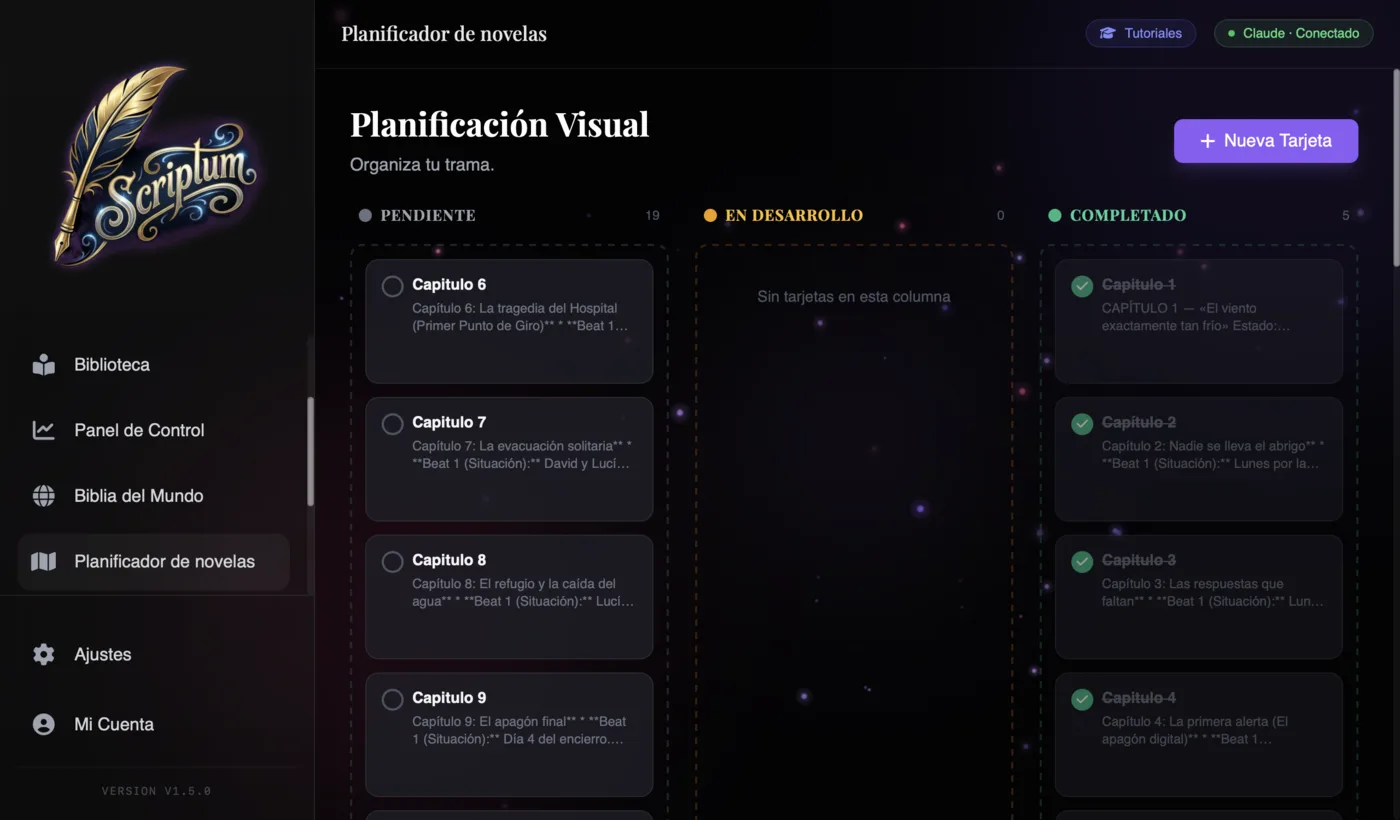
The part Scrivener defends best? Pure organization, for those who already master it. But Scriptum doesn't abandon that either: the World Bible orders characters, places, objects and lore, and the kanban planner gives you the 21st-century corkboard — with the advantage that the AI reads that board. You don't give up organizing; you gain everything else.
Other Scrivener alternatives depending on what you need
Scriptum is the all-in-one bet, but let's be honest: if your need is very specific, there are options that solve it beautifully. Choose by the job you want to do, not by the hype.
- Novelcrafter, if you're a BYOK power-user. Flexible and powerful, built for anyone who wants fine-grained control over which AI model they use with their own key and to set up their own workflow for long sagas. The trade-off: English interface, a medium curve and limited layout. If this approach tempts you, see it in the comparison Scriptum vs Sudowrite vs NovelCrafter.
- Atticus, if you only want to lay out. It's among the best at KDP formatting and works on any platform for a one-time payment (≈$147). It doesn't write with AI or design covers: it's an excellent typesetter, not a writing studio.
- Ulysses or Bibisco, if you only want to organize and write. Ulysses is elegant and pleasant, but it lives only in the Apple ecosystem and without native AI. Bibisco is a good organizer of characters and structure, with a free community edition. Neither takes you as far as the cover or publishing.
- Word or Google Docs, if you write loose notes. Generic processors: fine for typing, but they don't understand chapters, scenes or characters, and they get you no closer to Amazon. For a serious novel they fall short.
The rule is simple: if your need is a single box (just layout, just organizing), a specialized tool will do. If you want to close out the whole book — and in your own language — that's where Scriptum pulls ahead. And if you're still starting out, first review how to write a novel to be clear on the process before the tool.
How to migrate from Scrivener to Scriptum
The doubt that stops almost everyone: "and my Scrivener novel — do I lose it?". No. Your text is yours and it moves without drama. There's no button that opens a .scriv file directly, but the path is short:
- 1. Export from Scrivener. Use Compile (or "Export") to get your manuscript out to a standard format: DOCX, RTF, Markdown or plain text. You can export the whole novel or document by document.
- 2. Bring the text into Scriptum. Create your project and pour in the chapters by importing or pasting. Because Scriptum understands the structure of a novel, each chapter becomes its own piece, ready to edit.
- 3. Rebuild your world in the Bible. Move your character, place and plot sheets into the World Bible. Here you gain something new: from that moment on, the AI reads those sheets before writing a single line.
- 4. Save locally. Your novel lives in a .scriptum file on your device. You can keep writing offline and make backups whenever you want.
In an afternoon you've migrated your manuscript and, as a bonus, an AI with memory working on it. What was a static file in Scrivener becomes a living project that knows your story.
Conclusion: the best Scrivener alternative in 2026
Scrivener is far from dead: it's still a superb organizer and a fair one-time payment for anyone who masters it and needs nothing more. But if you're reading this, it's because you want more: AI that knows your novel, a cover that sells, an interior laid out like a publisher's, publishing on Amazon without jumping between programs, and all of it in your own language. That sum, today, is best covered by Scriptum.
Choose with your head: Atticus if you only lay out, Novelcrafter if you're into technical control, Ulysses or Bibisco if you only organize. But if your real goal is to finish the book and publish it, the most complete Scrivener alternative — and the only one designed from Spanish out — is Scriptum. And you don't have to take our word for it: try it with your own novel and decide for yourself.
Frequently asked questions
Does Scrivener have AI?
No. Scrivener includes no native artificial intelligence: it's a very powerful organizer and word processor, but to write with AI you have to jump out to an external tool (ChatGPT, Claude, etc.) and copy and paste by hand. Modern alternatives, like Scriptum or Novelcrafter, bring the AI inside the editor and, in Scriptum's case, with memory of your entire novel.
Are there Scrivener alternatives in Spanish?
Yes. Scriptum is one of the few designed from the ground up for Spanish: interface, support and the Aura AI all work in your language, and the app comes in five languages (Spanish, English, French, German and Italian). Scrivener, by contrast, has an interface mainly in English with a very partial Spanish localization.
Is Scrivener a one-time payment or a subscription?
Scrivener is a one-time payment: around €60 per platform (the Mac and Windows licenses are bought separately, and the iOS app is extra). There's no monthly fee, but also no AI, no cover design and no free major upgrades forever. Alternatives like Scriptum run on a subscription (€7.99/month or €86.99/year) and include AI, cover, layout and KDP export.
What's the best free Scrivener alternative?
If you're looking to write without paying anything, Bibisco in its community edition or even Google Docs do the job for pure text. But if what you want is AI at no cost, the most interesting route is Scriptum: the app is paid (€7.99/month), but since it uses your own key (BYOK) you can connect free providers like Groq, OpenRouter's free models or a local AI on your computer, and so the artificial-intelligence part costs you nothing.
Can I import my Scrivener project into another tool?
Yes, though not with a magic button. Scrivener exports to standard formats (DOCX, RTF, Markdown, plain text) through its Compile feature. From there you bring your manuscript into Scriptum by importing or pasting it chapter by chapter, and you rebuild characters, places and plots in the World Bible. The text is yours and travels without trouble; what you gain on arrival is AI with memory and the whole process through to publishing in one place.
Scriptum or Scrivener for self-publishing on Amazon?
For self-publishing on Amazon KDP, Scriptum takes you further within a single program: it designs the cover with real KDP measurements and spine calculation, lays out the interior with 18 templates and exports a PDF with embedded fonts and an EPUB ready to upload. Scrivener lays out the interior with Compile (more manual, with a curve) and doesn't design covers: for that you need another tool. If your goal is to publish without jumping between programs, Scriptum fits better.