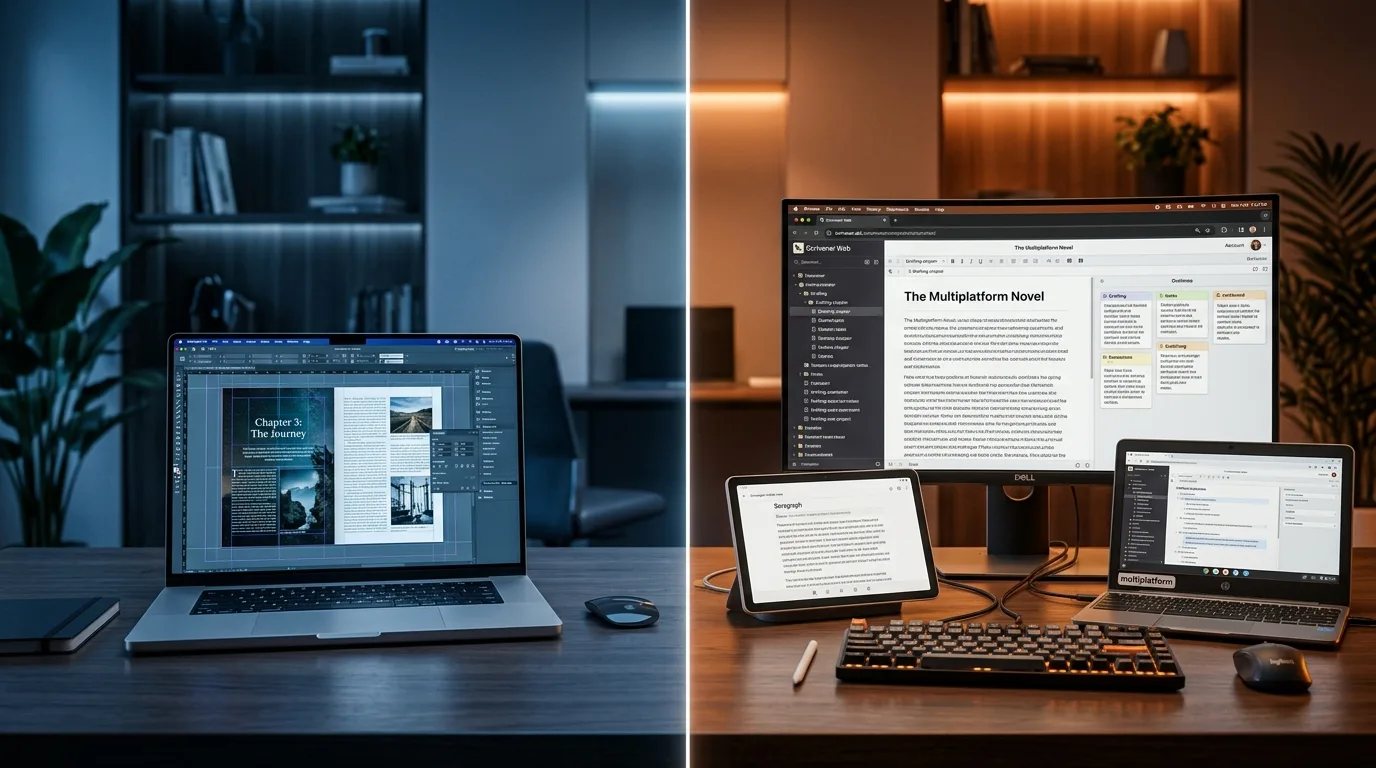
Atticus vs Vellum in one sentence: Atticus ($147, one-time payment) is cross-platform and also writes and formats; Vellum ($199.99-249.99, one-time payment) only runs on Mac, but has a reputation, according to industry reviews, for the best print finish. And if you also want AI assistance to write, there's a third way: Scriptum, an assistant where you remain the author.
You've just finished (or nearly finished) your novel, and now you have to decide what to format it with for Amazon KDP. The atticus vs vellum comparison pits the two names everyone repeats against each other, and here you'll read an honest, independent analysis, with no conflict of interest. I'll tell you what each one does, what it really costs, which platform it runs on and which author profile each one wins for.
At the end I'll introduce the option almost nobody puts in the comparison: writing with the assistance of an AI and formatting in the same place. Not to sell you hot air —I'll also tell you where it falls short—, but because it's a different category that changes the question. If you're still choosing what to draft with, first take a look at the best software to write novels.
Atticus vs Vellum at a glance
Before we get into the detail, here's the quick snapshot. Notice they don't compete on the same thing: Atticus is both editor and formatter, Vellum is only a formatter, and Scriptum is an AI-assisted editor plus formatter. I've added Scriptum to the table so you can see where each one fits.
| Feature | Atticus | Vellum | Scriptum |
|---|---|---|---|
| Price | $147 | $199.99 (Ebooks) · $249.99 (Press) | €7.99/month |
| Payment model | One-time payment | One-time payment | Subscription (15-day free trial) |
| Platform | Windows, Mac, Linux, Chromebook | macOS only (Ventura 13+) | Cross-platform web/PWA + desktop and mobile |
| Writing editor? | Yes (no AI) | No (you import the finished book) | Yes (with AI assistance) |
| AI for writing? | No | No | Yes (Aura, an assistant; you're the author) |
| Output formats | EPUB, PDF, DOCX | EPUB 3, PDF/X, MOBI | EPUB 3, PDF for KDP, DOCX/Markdown |
| Templates and typography | 17+ themes · 1,500+ fonts | 24 sizes · automatic typography | 19 templates · 15 fonts · RAE hyphenation |
Atticus in depth
Atticus costs $147 as a one-time payment —"no monthly fees, ever"—, includes future updates, unlimited books and pen names, and comes with a 30-day money-back guarantee, according to the official Atticus website (atticus.io, 2026). It's a purchase that pays for itself fast if you publish more than one book.
Its big advantage is the platform: Atticus is a web app (PWA) that runs on Windows, Mac, Linux and Chromebook —in any browser, basically. This is where it leaves Vellum out of the running for the millions of authors who don't own a Mac. And it's not just a formatter: it includes a writing editor with a distraction-free mode, word-count goals and habit tracking. That said, watch out for one important nuance: that editor has no AI. Atticus gives you a comfortable canvas to write on, but it doesn't assist you with the story.
For layout it exports to EPUB, PDF and DOCX (it doesn't generate native MOBI), with over 17 chapter themes, more than 1,500 fonts and a custom theme creator. It's more than capable for ebooks and for a solid print interior.
Pros: cheap one-time payment, truly cross-platform, writes and formats in the same tool, 30-day guarantee.
Cons: according to industry reviews, it drags a bit —some slowness and lag on very long manuscripts (120,000 words or more)— and it depends on cloud sync. These are user impressions, not an official figure from Atticus.
Vellum in depth
Vellum plays in a different league of price and philosophy. It has two versions, according to the official Vellum website (vellum.pub, 2026): Vellum Ebooks for $199.99 (ebook only) and Vellum Press for $249.99 (ebook plus paperback and hardcover). If you buy Ebooks and later want print, the upgrade to Press costs $69.99. Everything is a one-time payment, and its model is peculiar: you download the app for free, build and preview the book without paying, and only pay when you hit Generate on the final files.
Here's its big limitation: Vellum is macOS-only and requires at least Ventura 13. It doesn't work on Windows, Linux or iPad (official Vellum support, 2026). If you're on Windows, the comparison ends here: Vellum isn't an option for you.
Another fundamental difference: Vellum is not a writing editor. You import the finished manuscript (from Word, for example) and focus purely on layout. In return, that's where it shines: it exports EPUB 3/2, PDF/X-1a for professional print and MOBI (handy for ARCs and betas), offers 24 trim sizes plus a large-print option, and applies quality automatic typography —widow and orphan control, page balancing. That's why it has a reputation, according to industry reviews, for the best typographic finish on paper.
Pros: benchmark print finish, impeccable automatic typography, MOBI and PDF/X output, an ultra-polished workflow on Mac.
Cons: expensive, Mac only, and no good for writing. It's a finishing tool, not a creation tool.
Which to choose for your case
Setting the slogans aside, the decision comes down to three fairly clear profiles:
- You have a Mac, you only want to format, and premium paper matters to you → Vellum. If you already wrote the book elsewhere and you're after the best finish in paperback or hardcover, the one-time payment for Vellum Press is justified. It's the gold standard of the Mac ecosystem.
- You're on Windows or Linux, or your budget is tight, or you want to write and format in the same place → Atticus. Cross-platform, $147 once, and an editor included. For most authors just starting out, it's the most sensible option.
- You want to write with the assistance of an AI, format with Spanish hyphenation and publish with no upfront outlay → neither of the two covers that. That's where the third way comes in.
The option nobody compares: write with AI and publish in the same place (Scriptum)
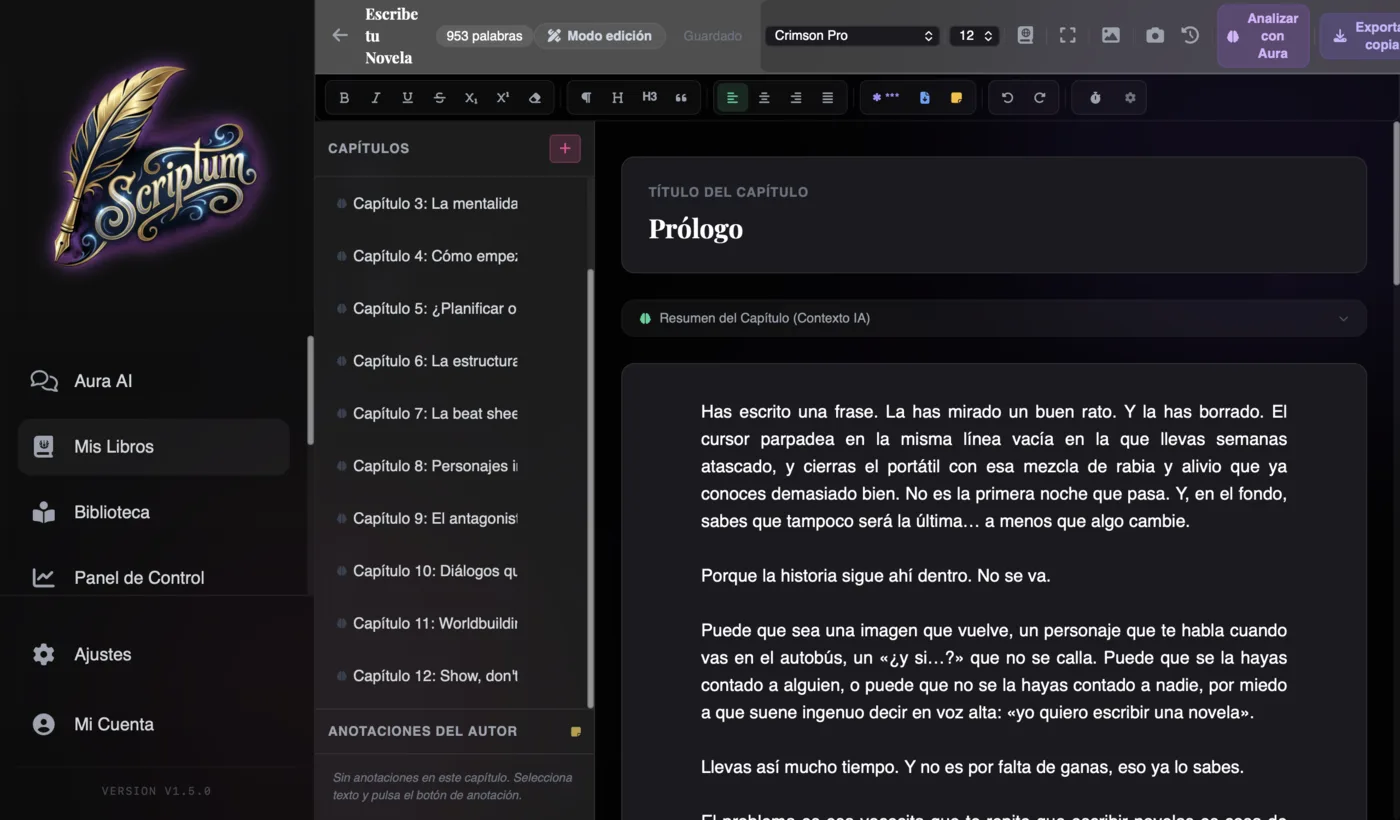
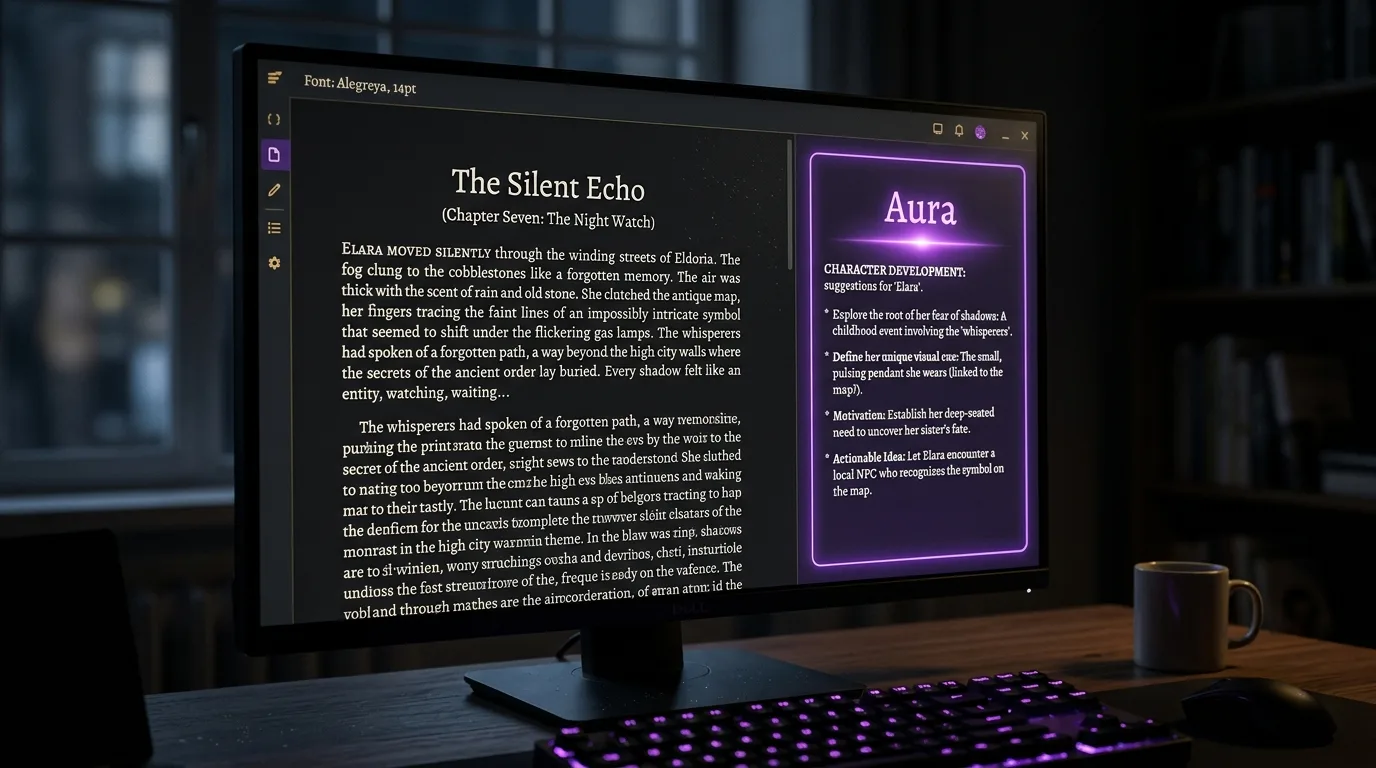
Neither Atticus nor Vellum offers AI assistance for writing, and Vellum isn't even an editor. That's the gap Scriptum fills. And here I want to be blunt about something, because it gets misread straight away: in Scriptum, you're the author. Aura is an assistant, not a ghostwriter: it doesn't write the novel for you. It helps you organize ideas, develop your scenes and break through blank-page block. And here's the difference Atticus and Vellum can't touch: they format your book, but neither understands what happens inside your novel. Aura does. When you ask it about a character, a place or something that happened chapters back, it pulls the passages most relevant to your question straight from your own work —your world bible, your outline, your chapters and your conversations with it— and lays them in front of you. It searches by meaning, not exact wording, so it surfaces your "ancient guardian" even when you wrote "the old sentinel". You mark what's canon and Aura keeps it in view when it counts. It all runs on your own device —your pages never leave your machine— and it works across languages, so you hold your story together without re-reading chapters to dig out a detail. The AI accompanies; you direct.
In the same app you format and publish. The real deal in its Publishing Studio: 19 design templates (Classic, Modern, Elegant, Fantasy, Thriller, Literary, Romance, Sci-Fi and more), 15 embedded body fonts, a TOC with real page numbers and dot leaders, mirror margins with an auto-calculated gutter based on the page count and KDP's minimums, chapters that open on an odd page, and front matter (copyright, dedication, author page). And a gem that neither Atticus nor Vellum does: Spanish hyphenation following RAE rules via an in-house engine, for clean justification with no rivers of white space. If you write in Spanish, you notice it on every page.
For covers, the layer-based Cover Studio generates a complete wrap cover (back cover + spine + front cover) with the spine width auto-calculated from the page count and KDP's paper, and it exports 300 DPI PDF plus PNG and JPG. You can upscale your image with AI super-resolution. It exports EPUB 3 and print-ready PDF for KDP with embedded fonts, plus DOCX and Markdown from "My Books". If you're going to design the cover yourself, the guide on how to design your novel's cover will come in handy.
Now the honesty about the payment model, which is the key difference. Scriptum is a subscription: €7.99/month, with a 15-day free trial and no card required. Atticus and Vellum are one-time payments. And I won't kid you here: if all you're going to do is format a book you've already written, a one-time payment like Atticus's ($147, cross-platform) is probably more cost-effective in the long run. You're not competing on "which is cheaper": these are different categories. Scriptum wins when you want to write with AI assistance + format + publish in an integrated way, without laying out any money upfront and with a trial before you pay.
And to keep the scales fair, its real limitations: only 3 KDP sizes (6×9, 5×8 and 5.5×8.5, no custom sizes and no A4), automatic margins and line spacing (no fine manual control), hyphenation that only works in Spanish, no direct publishing to the stores (you export and upload to KDP yourself, with no ISBN management), and covers that don't generate AI art from a prompt —you provide the image, the app enhances and assembles it. If you need 24 trim sizes or the finest print finish, Vellum is still ahead on that specific ground.
In-depth comparison: Atticus vs Vellum vs Scriptum
The previous table was the quick snapshot; this one really helps you decide, because it cross-references price, platform and the capabilities that make the difference:
| Criterion | Atticus | Vellum | Scriptum |
|---|---|---|---|
| Price and model | $147 · one-time payment | $199.99-249.99 · one-time payment | €7.99/month · subscription with 15-day trial |
| Platform | Windows, Mac, Linux, Chromebook | macOS only (Ventura 13+) | Cross-platform web/PWA + desktop and mobile |
| Write with AI assistance | No (editor without AI) | No (not an editor) | Yes (Aura assists you; you're the author) |
| Layout | Yes · 17+ themes | Yes · the benchmark in print | Yes · 19 templates, TOC with page numbers, KDP gutter |
| Spanish hyphenation (RAE) | No | No | Yes (in-house engine) |
| KDP cover | No (interior only) | No (interior only) | Yes · wrap with auto-calculated spine |
| Formats | EPUB, PDF, DOCX | EPUB 3, PDF/X, MOBI | EPUB 3, PDF for KDP, DOCX/Markdown |
A quick read of the table: Vellum rules on print finish, Atticus rules on price-to-versatility, and Scriptum is the only one that writes alongside you and formats in Spanish with RAE hyphenation and a KDP cover. Once you have the interior and the cover sorted, the next step is to understand how to publish your novel on Amazon KDP step by step and, after that, how to launch the book so it doesn't come out invisible.
The question isn't "Atticus or Vellum": it's "what do I need —to write or only to format— and on which operating system?". Answer that and the tool falls into place on its own.
Frequently asked questions
Is Atticus better than Vellum?
It depends on your platform and what you need. Atticus ($147, one-time payment) works on Windows, Mac, Linux and Chromebook, and it's also an editor where you write and format. Vellum ($199.99-249.99) only works on Mac and isn't an editor —you import the already-written book—, but it has a reputation for the best typographic finish in print. Neither is better in the abstract: Atticus wins on versatility and price; Vellum, on paper finish within the Mac ecosystem.
Does Vellum work on Windows?
No. Vellum only works on macOS (Ventura 13 or later). There's no version for Windows or iPad, according to Vellum's official documentation. If you work on Windows or Linux and want an equivalent tool, your option is Atticus, which is cross-platform.
Can you use Vellum on iPad?
No. Vellum is a macOS-only app and doesn't work on iPad or iOS. You need a Mac with Ventura 13 or later to use it.
Is Atticus a one-time payment?
Yes. Atticus costs $147 as a one-time payment, with no monthly fees, and includes future updates and unlimited books and pen names, with a 30-day money-back guarantee, according to the official Atticus website.
Can you write in Vellum?
Vellum isn't designed as a writing editor: you import the finished manuscript to format it. If you want to write and format in the same tool, Atticus includes an editor (without AI) and Scriptum includes an editor with the assistance of an AI, with you always being the author.
Which one produces the best layout for print?
Vellum has a reputation, according to industry reviews, for offering the best typographic finish in print, with automatic widow and orphan control and PDF/X-1a output. Atticus produces perfectly valid print PDFs and is much cheaper and cross-platform. For premium hardcover or paperback on Mac, Vellum is still the benchmark.
Is Vellum worth it at $249?
If you work on Mac, you only want to format (not write) and premium paper finish matters to you, the one-time payment for Vellum Press ($249.99, ebook plus paperback and hardcover) can pay off in the long run versus a subscription. If you're on Windows or your budget is tight, Atticus ($147) does an excellent job for much less.
Is there an alternative that also writes with AI?
Neither Atticus nor Vellum offers AI assistance for writing. Scriptum does: Aura is an assistant that helps you develop your scenes and break through writer's block —you're always the author—, and in the same app you format and export EPUB 3 and print-ready PDF for KDP. It's a subscription (€7.99 a month with a 15-day free trial), not a one-time payment.
Verdict and key takeaways
Atticus and Vellum are two excellent tools that win at different things, and neither "wins" in a vacuum. The honest choice depends on your operating system, your budget, and whether —on top of formatting— you also want to write. Here's the summary you can take away:
- You're on Mac, you only format and you want the best paper → Vellum. It has a reputation, according to industry reviews, for the best print finish, and its one-time payment pays off if you're not going to write in it.
- You're on Windows/Linux, your budget is tight, or you want to write and format with a one-time payment → Atticus. Cross-platform and $147 once: the most balanced option for most people.
- You want to write with AI assistance, format with Spanish hyphenation and publish with no upfront outlay → Scriptum. A different category: Aura assists you (you're the author), formats and exports to KDP, on a subscription and with a free trial.
- Remember: Atticus wins on cheap one-time, cross-platform payment; Vellum wins on print finish; Scriptum brings what the other two lack —writing with help and Spanish hyphenation—, in exchange for being a subscription.
Whatever you choose, formatting well is only one leg of the journey. Once you have the file ready, shape the launch so your novel doesn't go unnoticed.